
Tinder
How Do You See Who Likes You on Tinder? Gold, Platinum and Free Options
 By MarkUpdated November 20265 min read


Short answer
To see who likes you on Tinder you need Tinder Gold or Tinder Platinum, which unlock the Likes You page behind the heart icon at the bottom of the main screen. Free accounts see a blurred grid, but can sometimes reveal one admirer through Secret Admirer, or simply match with people who liked them by swiping right on them in Discovery.
How do you see who likes you on Tinder? Subscribe to Tinder Gold or Tinder Platinum, then tap the heart icon at the bottom centre of the main screen. That opens the Likes You page, a grid of everyone who has already liked you. On a free account the grid is blurred, though Tinder's Secret Admirer feature sometimes lets you reveal one of them.
Below: exactly what each plan shows, the free ways to find your admirers, and what to check when your likes won't load.
Tinder see who likes you: what each plan shows (November 2026)
| What you get | Free | Plus | Gold | Platinum |
|---|---|---|---|---|
| Likes You page | Blurred | Blurred | Full | Full |
| Secret Admirer | Sometimes | Sometimes | Not needed | Not needed |
| Green "Recently Active" dots in Likes You | Shown, photos blurred | Shown, photos blurred | Shown | Shown |
| Your likes seen sooner | No | No | No | Yes (Priority Likes) |
Tinder's help center says the Likes page "is currently only available [to] Tinder Gold and Tinder Platinum subscribers". It also notes Tinder is testing Likes as a stand-alone purchase for some iOS users in select markets, so you might see that offer instead.
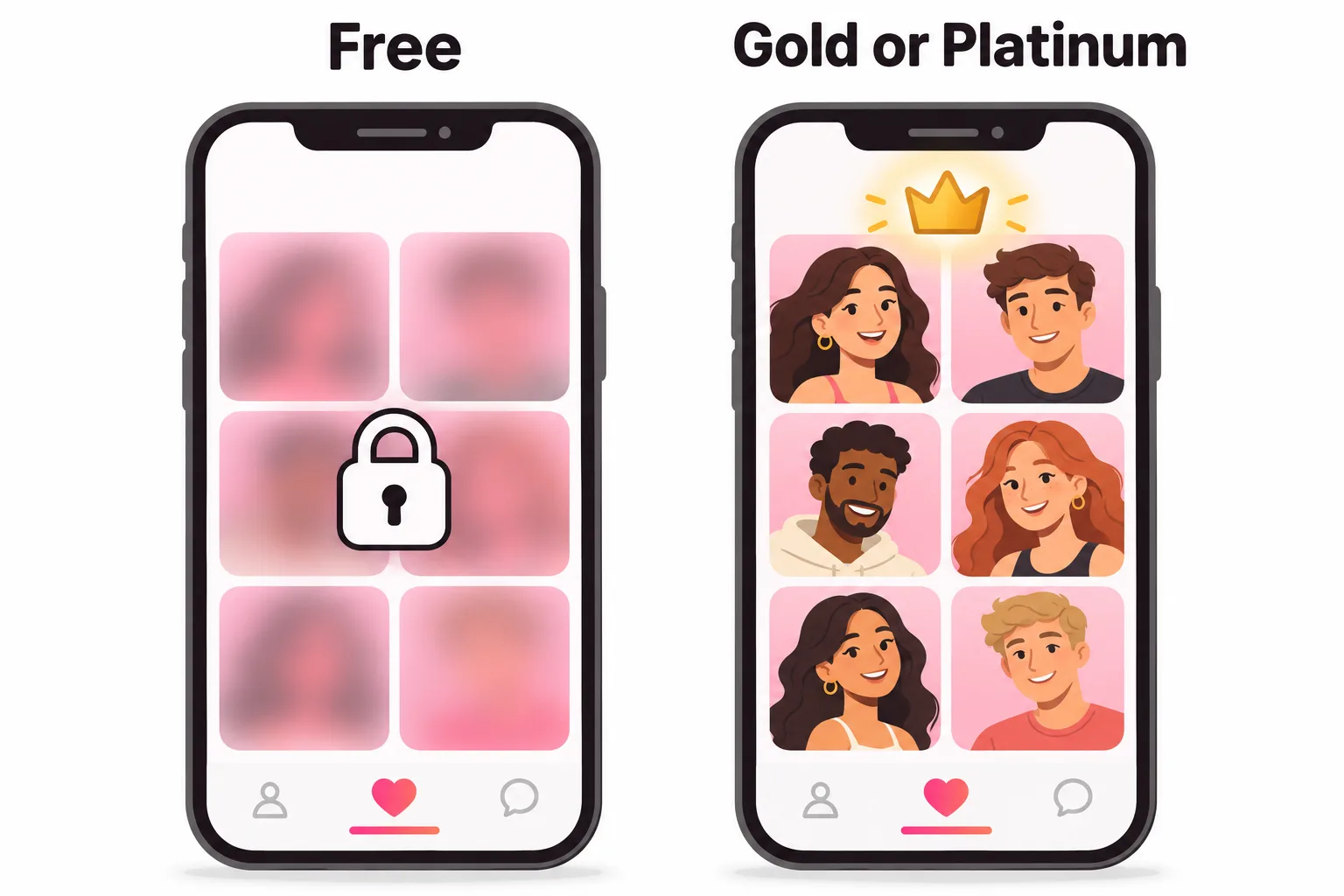
How to see your likes on Tinder with Gold or Platinum
- Open Tinder.
- Tap the heart icon at the bottom centre of the screen.
- Scroll the grid of people who liked you.
- Tap a profile to view it, then swipe right to match or left to dismiss.
Because everyone in this grid has already liked you, a right swipe here is an instant match. That's the main value of Gold: you stop spending likes on strangers and start with people who are already interested. To subscribe, tap the profile icon, Settings, then choose Gold or Platinum. Our guide to Tinder Gold covers what else it includes, and is Tinder Gold worth it helps you decide.
How do you see who likes you on Tinder for free?
There's no hidden setting that unblurs the grid, and apps or sites that promise to do it are best avoided. They can't access Tinder's data legitimately, and handing your login to a third party is a real security risk. What you can do for free:
Use Secret Admirer
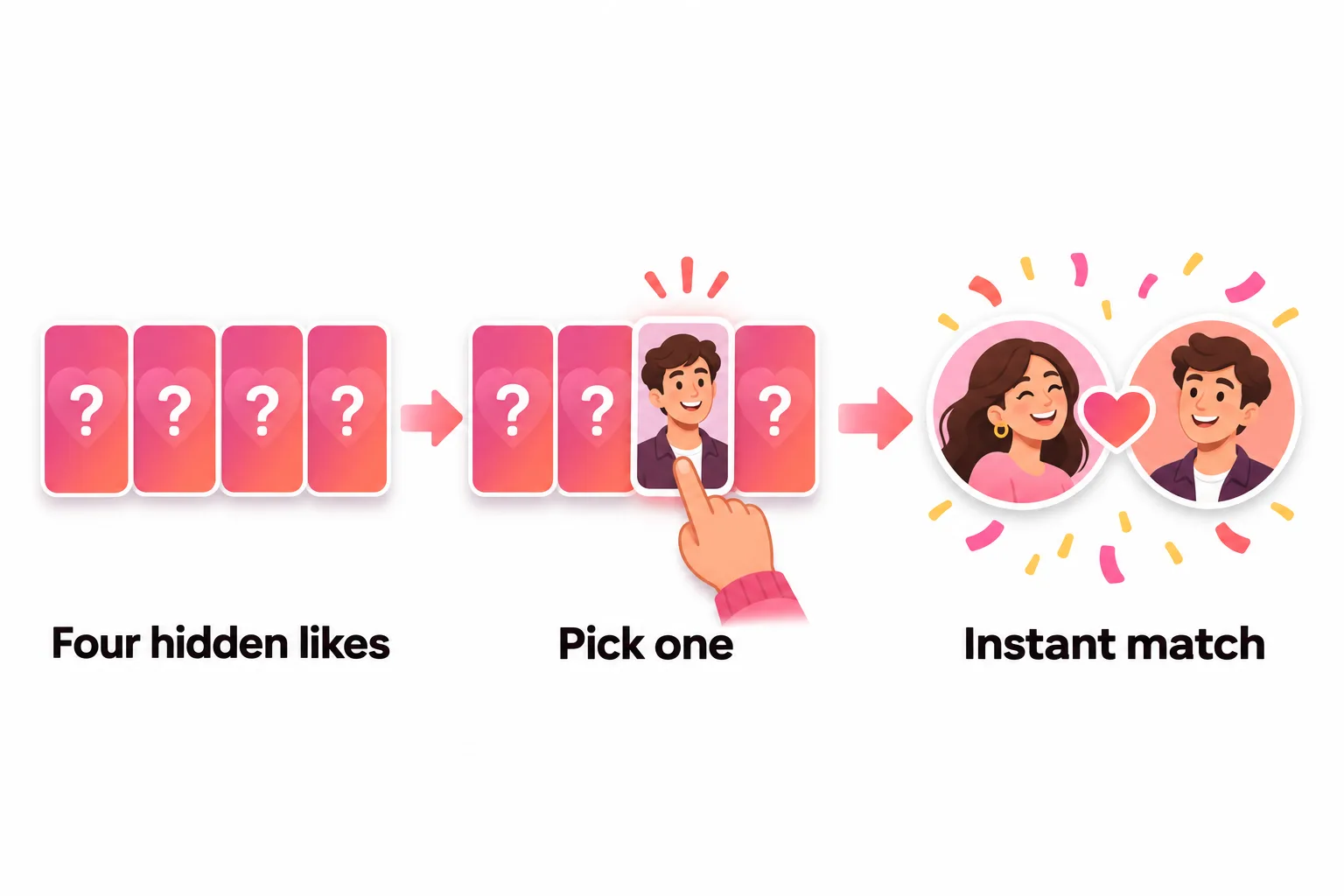
Secret Admirer shows you four hidden profiles of people who've already liked you. Pick one card and Tinder reveals that person; like them back and it's an instant match. It appears now and then; you can't trigger it on demand. More in Secret Admirer on Tinder.
Keep swiping in Discovery
People who liked you are still in the normal stack. If you like someone who already liked you, you match straight away. Swiping thoughtfully finds a lot of them anyway.
Read the blurred grid for clues
Free users still see green Recently Active dots in Likes You. Tinder says these mark people active in the last 24 hours. It's a sign that some of your admirers are active right now, so it's a good time to swipe.
Is it worth paying just to see who likes you?
Gold's Likes You page is only as useful as the number of people in it. Before subscribing, look at the blurred grid on your free account. It still shows a rough sense of how many likes are waiting.
- Many blurred likes: Gold can pay off quickly. Every profile in the grid is a one-swipe match, so you skip the guesswork and spend your time chatting.
- A handful: Secret Admirer and normal swiping will find most of them for free. Tinder Plus is the cheaper upgrade if your real issue is running out of likes.
- None: don't pay to see an empty page. Work on your photos first.
The other side: Priority Likes
Platinum works on the likes you send rather than the ones you receive. Tinder says Priority Likes get your likes and Super Likes "seen faster by a potential match, before the Likes of non-subscribers", meaning you sit nearer the front of other people's Likes You grids. Tinder adds that this doesn't guarantee your likes will be seen, because each person's Discovery preferences still apply.
Why you can't see likes on Tinder
If you're paying and the Likes You page looks wrong, work through these:
- Profile hidden. Tinder hides profiles when it can't detect a clear face photo, and hidden profiles lose features such as Likes, Super Likes and Boost. Add a well-lit photo of your face.
- App glitch. Log out and back in, update the app, or try tinder.com. Tinder suggests the same steps when matches won't load.
- Subscription not applied. If you switched phones or app stores, restore your purchase from Settings.
- The like went away. Someone who deletes their account disappears from the grid, and a profile you already swiped on in Discovery won't stay there either.
How do I see likes I've sent on Tinder?
Tinder's help center doesn't describe a list of likes you've sent. Some guides report that Platinum shows recent sent likes in supported markets, but that isn't in Tinder's official feature list as of November 2026. Rewind can take back only your last swipe. For the full picture, see how to see who you liked on Tinder.



No good photos of yourself?
Turn a selfie into realistic dating photos: travel, dinner, outdoors and more. One selfie is enough. From $29, one-time.
No likes in the grid at all?
If the Likes You count sits at zero for days, paying to see an empty page won't help. That usually comes down to the profile: a first photo that's dark, distant, old or crowded with friends. Check how your photos come across first; our guide to dating app photos shows what works across Tinder, Hinge and Bumble.
Frequently asked questions
Can you see who likes you on Tinder for free?
Not in full. Tinder says the Likes page is only available to Gold and Platinum subscribers, and free users see the grid blurred. Secret Admirer occasionally lets free users pick one of four hidden profiles that already liked them and reveal it.
Where do I see my likes on Tinder?
If you have Gold or Platinum, tap the heart icon at the bottom centre of the main screen. That opens Likes You, where you can tap a profile and swipe right to match instantly or left to dismiss.
Does Tinder Plus let you see who likes you?
No. Tinder Plus gives unlimited likes, Rewinds and Passport, but See who Likes You starts at Tinder Gold.
Why can't I see my likes on Tinder even with Gold?
Try logging out and back in, updating the app or using tinder.com. If Tinder has hidden your profile for lacking a clear face photo, the Likes page is one of the features that stops working. A like also disappears if the person deletes their account.
How do I see likes I sent on Tinder?
Tinder's help center doesn't describe a sent-likes history for most users. Some guides report that Platinum shows recent sent likes in supported markets, but this isn't in Tinder's official feature list, so check your own app.
Are blurred Tinder likes real?
Tinder presents them as people who have liked you, and Gold or Platinum unblurs the same grid. Tinder doesn't publish how the order or count is chosen, so don't read too much into small changes in the number.
Sources
Written and reviewed by
Dating profile editor at DatingProfile
Mark writes and reviews DatingProfile’s guides to dating profiles: the photos, bios and prompts that work on Tinder, Hinge and Bumble, and how each app actually behaves.
@mark_x_997


