
Tinder
How to See Who You Liked on Tinder (and What Tinder Won't Show)
 By MarkUpdated November 20265 min read


Short answer
Tinder has no full list of the people you've liked; once you swipe right, a profile leaves your stack and only comes back as a match if they like you too. Rewind can bring back your last swipe for subscribers, Platinum is reported to show likes sent in the last 7 days in some markets, and Tinder's data download gives counts, not names.
How to see who you liked on Tinder: for most people, you can't. Tinder doesn't keep a list of the people you've liked. When you swipe right, that profile leaves your stack, and it only comes back if they like you too, as a new match. What you can see is your Matches list, your last swipe (with Rewind), and on Platinum, reportedly, the likes you sent in the last 7 days.
If you meant the other direction, seeing who liked you, that's the Likes You page, covered in how do you see who likes you on Tinder. This page is about the likes you sent.
Can you see who you liked on Tinder?
Not as a full history. As of November 2026, Tinder's help center describes no feature for browsing the likes you've sent, on any plan. Here's what each option actually shows:
| Where to look | What it shows | Who gets it |
|---|---|---|
| Matches list | Everyone you liked who liked you back | Everyone |
| Rewind (yellow arrow) | Your last swipe only, which you can take back | Plus, Gold, Platinum |
| Sent likes history | Likes sent in the last 7 days (reported) | Platinum, in some markets (reported) |
| Data download | Swipe activity, described as daily counts | Everyone |
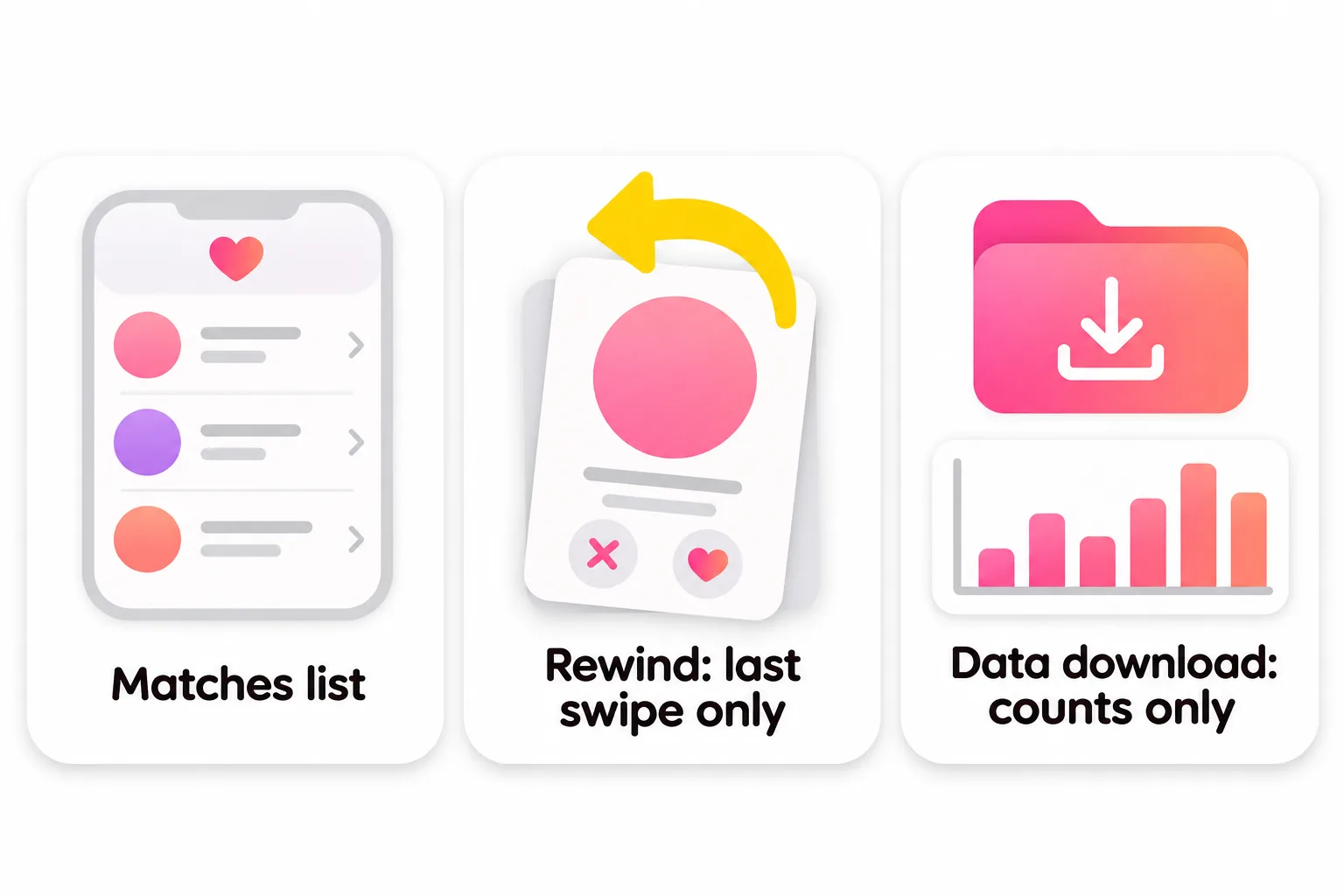
How to see who I liked on Tinder: each option
Your Matches list
Every match is someone you liked who liked you back (or someone you liked back from Likes You or Secret Admirer). It's the only complete record of mutual likes, and it lives in your messages screen. If a match disappears, Tinder says they most likely unmatched or deleted their account.
Rewind: your last swipe only
Tinder's help center says Rewind lets you "take back your last Like or Nope" by tapping the yellow arrow on the main screen. Two limits matter:
- Only subscribers can use it (Plus, Gold or Platinum).
- Only the last swipe. You can't scroll back through earlier likes.
It's useful when you swipe right by accident and want to undo it straight away, not as a history.
Platinum's sent likes history (reported)
Independent reviews report that Tinder Platinum lets you review likes sent in the last seven days. SwipeStats (2026) calls it "a history view" and notes it doesn't tell you whether the other person saw or passed on your like. Tinder's own subscription pages list Platinum's extra as Prioritized Likes and don't mention a sent-likes list, so check the Platinum screen in your app before paying for it.
Your Tinder data download
Tinder's Download My Data tool, under Manage My Account, emails you a ZIP file within a few days. Tinder says it may include "swipe and match activity". Guides that use these files, such as SwipeStats, describe the swipe data as daily counts of likes and passes, not a list of the profiles you liked. Tinder also says it leaves out information that could affect another person's privacy. So you can learn how many people you liked on a given day, not who.
Why Tinder doesn't show who you liked
Tinder is built around one-way swipes. A like stays private until it turns into a match, and the profile leaves your stack after you swipe so you see new people. Gold and Platinum flip this around for the other side: they show who liked you, not who you liked.
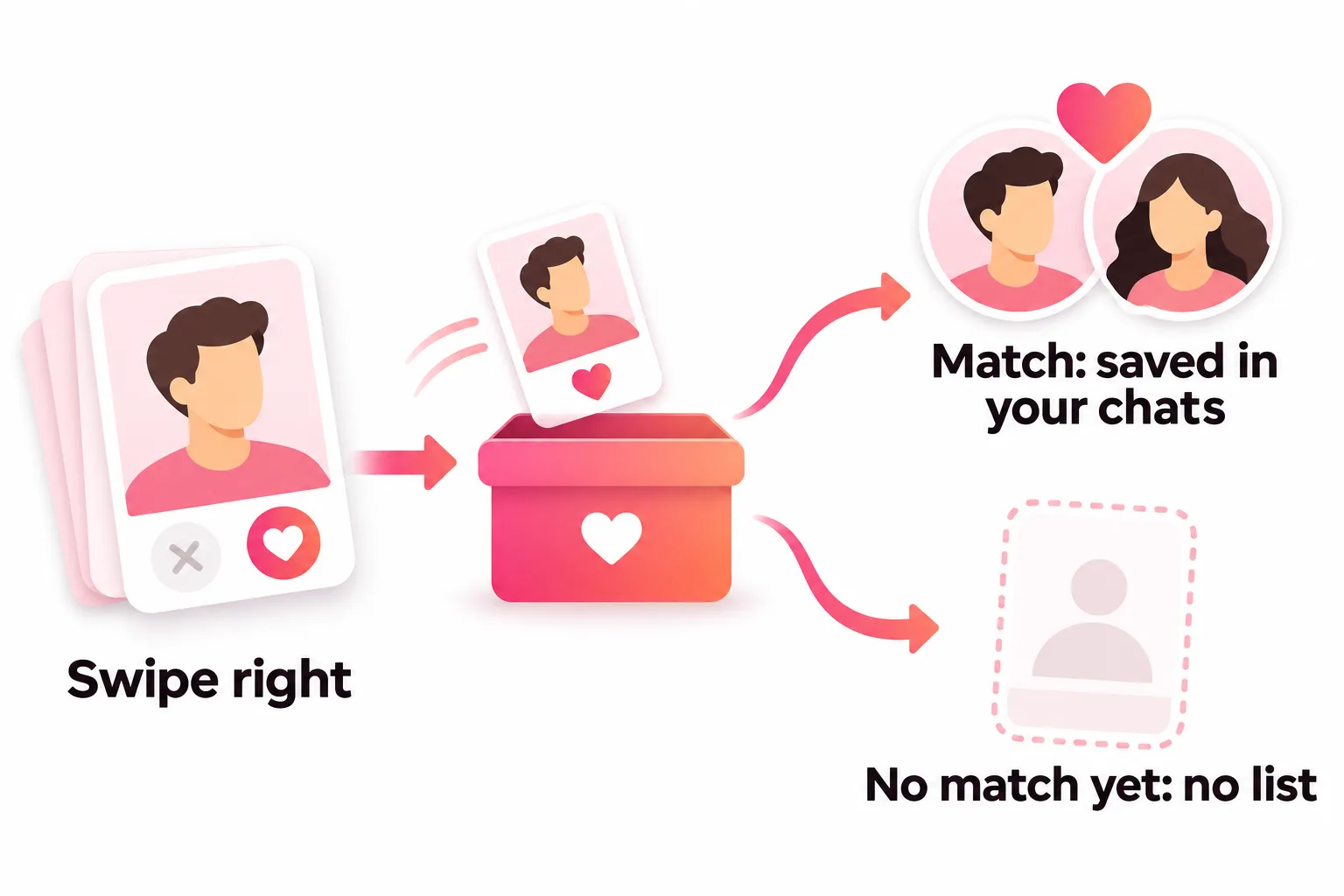
Will someone I liked see my profile again?
Your like waits for them. When they reach your profile in their stack and swipe right, you match. If they have Gold or Platinum, they can see you in their Likes You grid any time. Two related details from Tinder:
- Incognito, on paid plans, lets you "show up exclusively for the people you've already liked", per Tinder's subscription page.
- Passport: people you liked while using Passport may still see your profile for up to 24 hours after you change location.
Accidentally liked someone?
What you can do depends on timing and your plan:
- Straight away, on a paid plan: tap the yellow Rewind arrow. Tinder says it takes back your last Like, Nope or Super Like.
- After it became a match: you can unmatch from the chat (the three dots in the top right, then Unmatch). Tinder says the other person isn't notified, though they may notice you're gone from their matches, and unmatching can't be undone.
- No match yet, no Rewind: there's no way to withdraw the like. If they never like you back, nothing happens.
How to see who Super Liked you on Tinder
Keep swiping. Tinder says a profile that Super Liked you will appear in your stack with a bright blue star, though not always first. If you have Gold or Platinum, you can find it faster in Likes You. More in what are Super Likes on Tinder.
How to find someone you liked again
If you liked someone and want another look:
- Check your matches. If they liked you back, they're there.
- Wait. If they haven't swiped on you yet, a match can still arrive later.
- Don't count on seeing them again in Discovery. Tinder doesn't promise to show a profile twice. It only says that someone who deleted their account and came back may reappear there.
- Swipe a bit more thoughtfully next time. If you often lose track of people you liked, slow down and read profiles before you swipe. It also makes a limited free allowance go further; see how many likes per day on Tinder.



No good photos of yourself?
Turn a selfie into realistic dating photos: travel, dinner, outdoors and more. One selfie is enough. From $29, one-time.
The likes that matter are the ones that come back
Most people looking for their sent likes are really asking "why didn't they match with me?" Tinder doesn't tell you, but the answer is usually in your own profile, starting with the first photo. If you send plenty of likes and few come back, read no matches on Tinder and our guide to what pictures to put on Tinder.
Frequently asked questions
Can you see who you liked on Tinder?
Not as a full list. Tinder's help center doesn't describe any history of likes you've sent. People you liked show up again only if they like you back, as a new match. Platinum is reported by guides to include likes sent in the last 7 days in some markets.
How do I see who I liked on Tinder for free?
There's no free way to view sent likes. Your Matches list shows everyone you liked who liked you back. Tinder's data download includes swipe activity, but independent guides describe it as daily counts of likes and passes rather than a list of profiles.
Can I undo a like on Tinder?
Only your last swipe, and only with a subscription. Tinder says Rewind lets subscribers take back their last Like, Nope or Super Like with the yellow arrow on the main screen.
How do you see who liked you on Tinder?
That's the Likes You page, behind the heart icon at the bottom of the main screen. It needs Tinder Gold or Platinum; free accounts see it blurred, though Secret Admirer occasionally reveals one person.
How to see who Super Liked you on Tinder?
Keep swiping. Tinder says a profile that Super Liked you will appear in your stack with a bright blue star, though not always first. Gold and Platinum subscribers can also find it in Likes You.
Will someone I liked see my profile again?
Guides report that your like stays with them until they swipe on you. Tinder doesn't tell them you liked them unless they have Gold or Platinum, which shows everyone who liked them in Likes You.
Sources
- Tinder Help Center: Rewind
- Tinder Help Center: Likes
- Tinder Help Center: Tinder subscriptions
- Tinder Help Center: Requesting a copy of your personal data
- Tinder Help Center: I was notified that I've been Super Liked, but don't see it in the app
- Tinder Help Center: Passport Mode
- Tinder Help Center: Unmatching someone
- Tinder: Subscription tiers
- SwipeStats: Tinder Platinum review (2026)
- SwipeStats: How to download your Tinder data (April 2026)
Written and reviewed by
Dating profile editor at DatingProfile
Mark writes and reviews DatingProfile’s guides to dating profiles: the photos, bios and prompts that work on Tinder, Hinge and Bumble, and how each app actually behaves.
@mark_x_997


