Hinge
Can You Send Pictures on Hinge? What Hinge Chat Allows
 By MarkUpdated November 20265 min read


Short answer
No, you can't send pictures on Hinge. Hinge chat supports text messages, emoji, replies, message likes and Voice Notes, but there's no button to send a photo or video from your camera roll, and Hinge+ or HingeX don't add one as of November 2026.
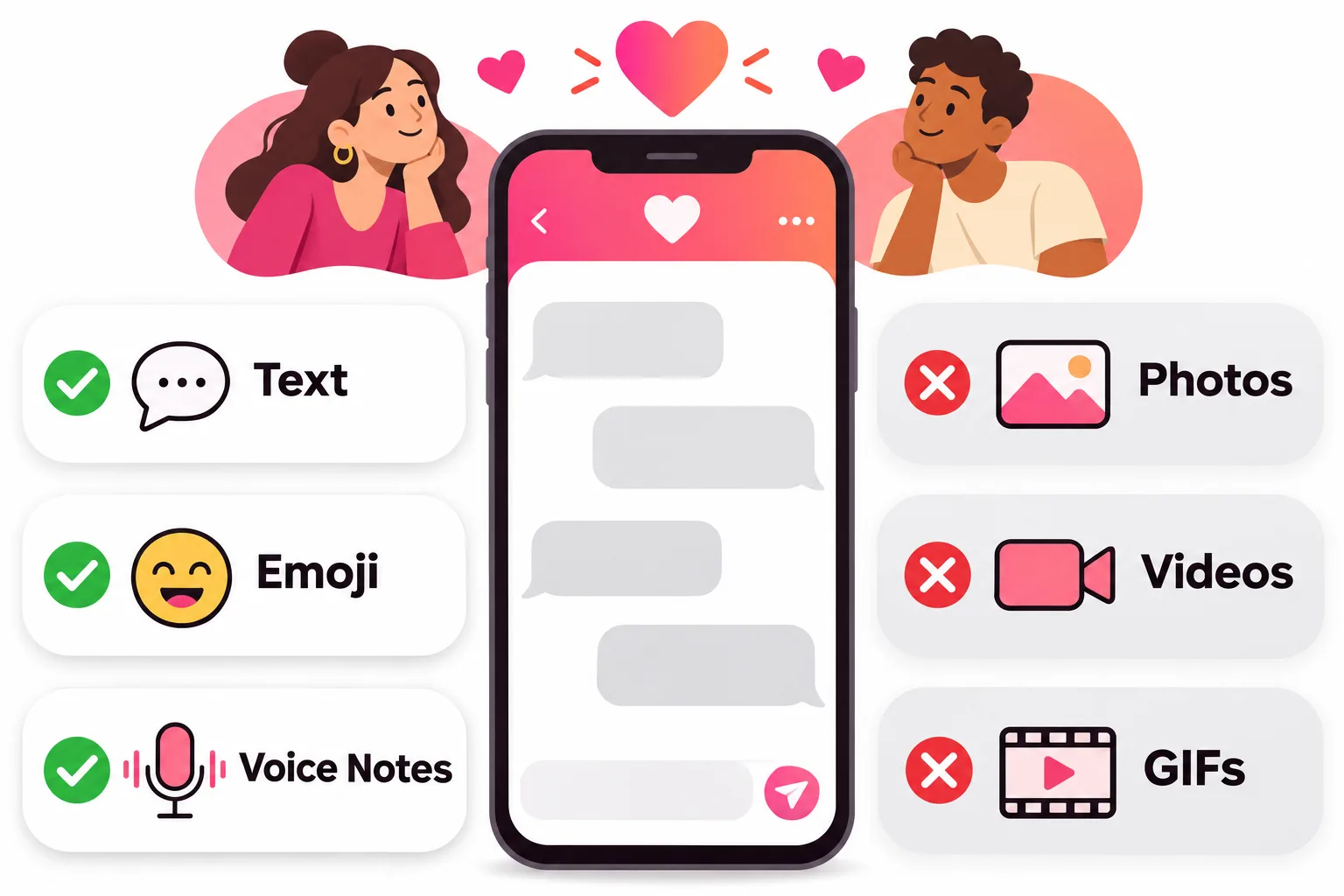
Can you send pictures on Hinge? No. There's no attachment button in a Hinge conversation, so photos and videos can't be sent, whether you use the free app, Hinge+ or HingeX. What you can send is text, emoji, quoted replies, a "like" on a message and Voice Notes. That's been the case for years and is still true as of November 2026.
So if a match asks for "a pic", here's what Hinge does allow, how to share a photo safely, and why the app works this way.
Can you send pictures on Hinge chat? What messages allow
Hinge's help center describes the chat this way: once you've matched, you can "send a message, emoji, or even 'Like' a message your match has sent". The full list:
| Feature | Available on Hinge chat? |
|---|---|
| Text messages | Yes |
| Emoji | Yes |
| Like a message | Yes (double-tap no longer sends a heart; Hinge says a faster reaction is coming) |
| Reply to a specific message | Yes (press and hold) |
| Voice Notes | Yes, after you match |
| Photos from your camera roll | No |
| Videos | No |
| GIFs | No |
| Voice or video calls | No (removed) |
Hinge used to have in-app voice and video calls, but removed them. Its help center now suggests connecting "through Voice Notes or messaging" instead.
Can you send photos on Hinge chat with a subscription?
No. Hinge's comparison of the free plan, Hinge+ and HingeX covers unlimited likes, seeing everyone who liked you, advanced filters, undo skips and, for HingeX, Priority Likes and an always-on boost. Photo messaging isn't on the list for any plan. Paying changes who you can reach, not what you can send.
How to send a picture on Hinge (the workarounds)
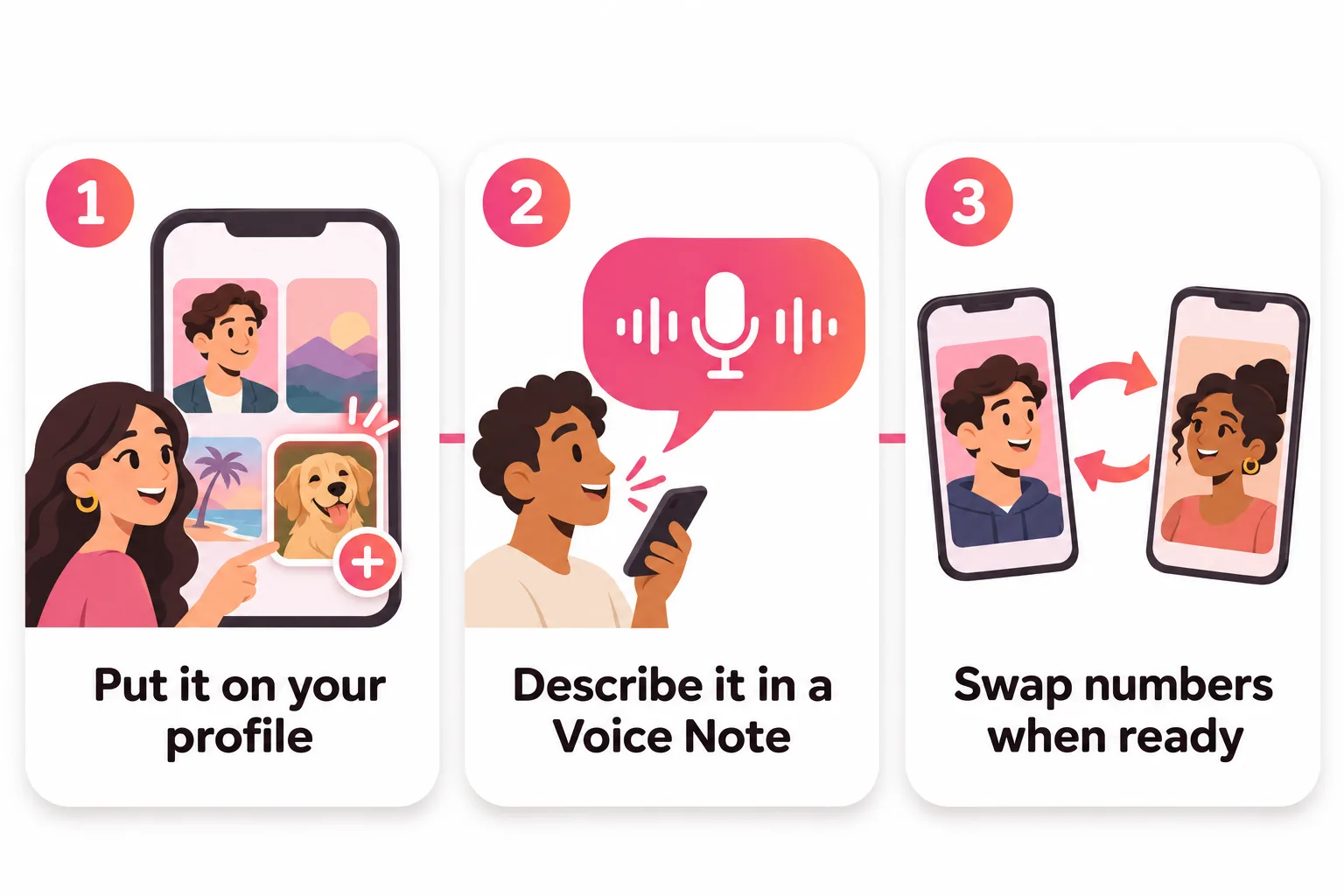
You can't attach a photo, but there are ways to show someone what you mean:
1. Put it on your profile
Hinge asks every member for between four and six profile photos (the minimum depends on local rules), and your matches can look at them whenever they like. If someone asks what your dog looks like, add a good photo of your dog. It also helps everyone else who views your profile. Our dating app photos guide covers which shots to use.
2. Describe it in a Voice Note
A Voice Note can carry a lot: the story behind a photo, your laugh, how you actually sound. You record it from the microphone button in the chat once you've matched. Hinge calls it a way to "bring more personality to your conversations".
3. Move to another app when you're ready
Once you've chatted a bit and feel comfortable, swapping numbers or Instagram handles is the normal next step, and there you can send whatever photos you like. A simple way to suggest it: "Hinge won't let me send pictures and I need to show you this sandwich. Want to swap numbers?"
Take your time with this. Romance scammers often push to leave the app quickly, so it's fine to wait until you've had a real conversation, or even a first date.
What to avoid
Don't paste links to photo albums or cloud folders into the chat. Hinge's rules list "linking out to other websites or payment platforms" under content to avoid, and links from strangers are a common scam tactic, so many people won't click them anyway.
What to send instead of a picture
Most moments where you'd reach for a photo can be handled with words or your voice, and they often start a better conversation:
- Instead of a photo of your dinner: "I just made the best risotto of my life and I have no one to tell. What's your signature dish?"
- Instead of a photo of your dog: "Picture a very small dog who thinks he's a wolf. That's my roommate. Do you have pets?"
- Instead of a view from your trip: a 30-second Voice Note describing where you are and what you can hear.
- Instead of a selfie when they ask what you look like today: "Same as my photos, just with worse hair. Want to grab a coffee and see for yourself?"
That last one does what Hinge is built for: it moves you towards a date.
Why Hinge doesn't let you send pictures
Hinge hasn't published a reason. The most likely one is safety: if photos can't be sent in chat, nobody can receive an unwanted explicit image from a match there. Hinge's rules ban nudity and sexually explicit images "on your profile or in chats", and leaving out photo sharing removes the problem at the source.
It also fits Hinge's focus on getting people off the app and onto dates. Without photos, voice calls or GIFs, the chat is built for getting to know someone, then meeting.
Other apps take a different approach. Bumble, for example, lets matches send photos from the camera roll, record videos and send GIFs, and uses an AI tool to blur images it thinks are explicit.
One thing to know before sending anything
Hinge doesn't let you delete individual messages. Its help center says you can only remove a whole conversation by unmatching, which ends the connection for good. Once you move to another app, the same caution applies to photos: send only what you'd be comfortable with anyone seeing.



No good photos of yourself?
Turn a selfie into realistic dating photos: travel, dinner, outdoors and more. One selfie is enough. From $29, one-time.
If they want to see you, let your profile do the work
Most "can you send a pic?" requests mean "I want to see more of you". The best answer is a profile with clear, recent photos that show your face, your full body and what you like doing. If you're not sure which of your photos work, run them through our free photo rater.

For more on getting the conversation going without pictures, see how to start a conversation on Hinge, and if you're wondering what the other person can capture, read does Hinge notify screenshots.
Frequently asked questions
Can you send pics on Hinge chat?
No. As of November 2026 Hinge's chat lets you send text, emoji, quoted replies, message likes and Voice Notes, but not photos or videos. There is no attachment or camera button in the message box.
Does Hinge+ or HingeX let you send photos?
No. Neither subscription lists photo messaging among its features. They add unlimited likes, filters and, for HingeX, priority features, but the chat works the same for everyone.
Can you send GIFs on Hinge?
Not as of November 2026. The chat has emoji but no GIF picker, unlike Bumble, which supports GIFs, photos and video in chat.
How do I show a match a photo on Hinge?
Add it to your profile, where every visitor can see it, or swap numbers or socials once you're comfortable and send it there. Avoid posting links to photo albums in chat; Hinge's rules warn against linking out to other websites.
Can you video call on Hinge?
Not anymore. Hinge removed its voice and video calling feature and now points people to Voice Notes and messaging instead.
Why doesn't Hinge allow pictures in messages?
Hinge hasn't given an official reason. The most likely explanation is safety, since banning photos in chat removes the chance of receiving unwanted explicit images from a match.
Sources
- Hinge Help Center: How Do I Match with Someone and Start Chatting?
- Hinge Help Center: What are Voice Notes?
- Hinge Help Center: What happened to the Voice and Video Calling feature?
- Hinge Help Center: Subscription and Purchase Benefits
- Hinge Help Center: Prohibited Content and Behavior
- Hinge Help Center: Can I delete a message?
- Hinge Help Center: How do I edit my profile?
- Bumble Support: Private Detector
- Bumble Support: Your conversations
- CometChat: Chat teardown of Hinge (April 2025)
- SwipeStats: Can you send pictures on Hinge?
Written and reviewed by
Dating profile editor at DatingProfile
Mark writes and reviews DatingProfile’s guides to dating profiles: the photos, bios and prompts that work on Tinder, Hinge and Bumble, and how each app actually behaves.
@mark_x_997