Hinge
Hinge Roses Explained: What a Rose Does and When to Send One
 By MarkUpdated November 20265 min read


Short answer
A Hinge rose is a stronger kind of like that puts you at the top of the other person's Likes You list with a rose icon, so they see you before everyone else. Every member gets one free rose a week (free roses don't stack), you can buy more in packs of 3, 12 or 50, and roses are the only way to like someone in Standouts.
Hinge roses are Hinge's "I really like you" button. A rose works like a like, but it gets pinned to the top of the other person's incoming likes with a rose icon, so it's the first thing they see. Hinge describes roses as a way to show someone "you really, really like their profile".
Here's what roses do, how they compare with a regular like, how many you get and how to send one without it feeling awkward.
What are roses on Hinge?
A rose is a like with priority. When you send one:
- It appears at the top of their Likes You screen, marked with a rose.
- It can include a comment, just like a regular like.
- If they like you back or reply, you match and can chat as usual.
Roses are also the only way to reach someone in Standouts, Hinge's daily feed of profiles getting a lot of attention. You can't send a regular like there. More on that in what are Standouts on Hinge.
What does sending a rose do on Hinge?
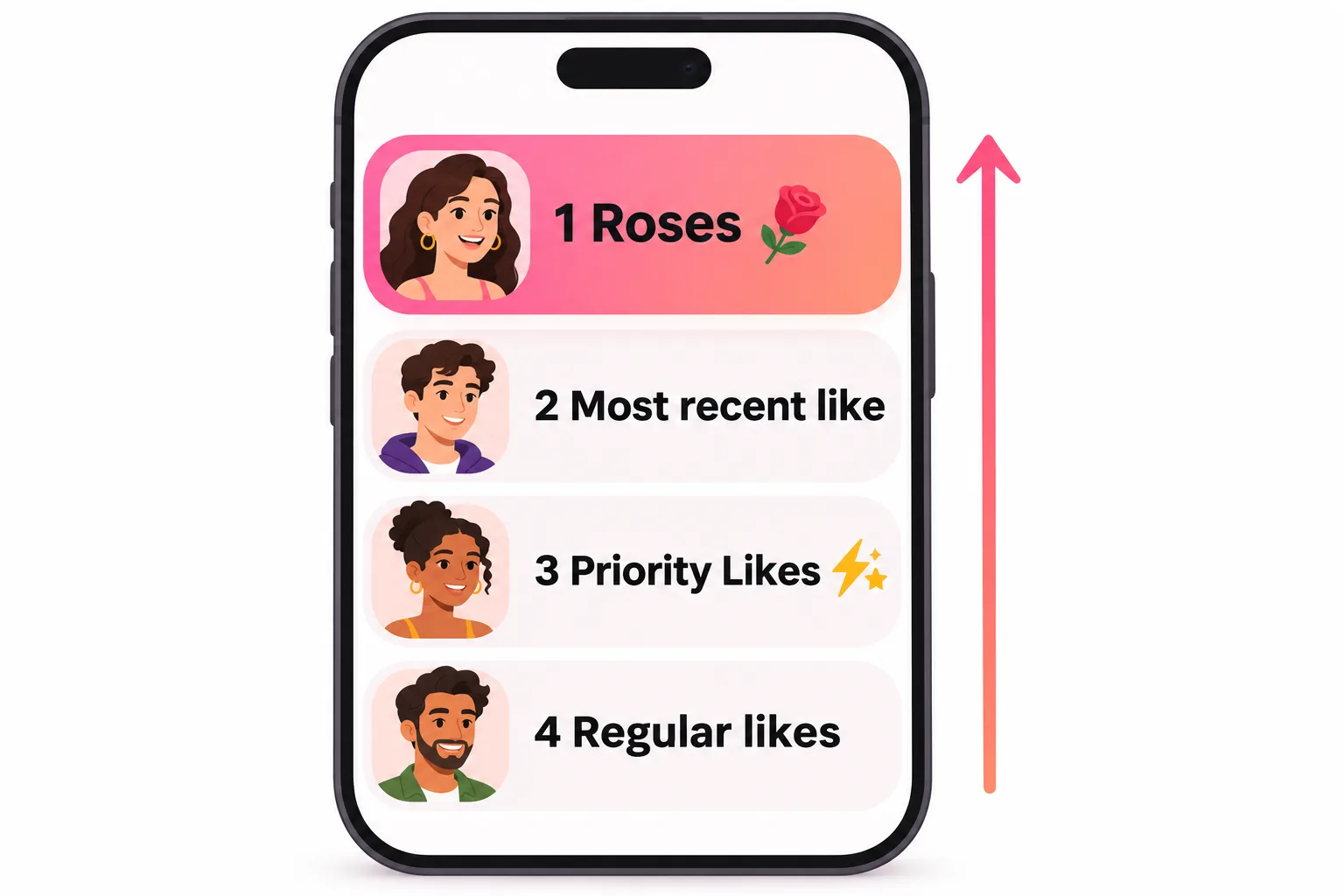
It changes where you show up, not what they see on your profile. Hinge's help center lists the order of the Likes You tab, when sorted by Recent, like this:
- Roses (with a rose icon)
- The most recent like, priority or not
- Priority Likes from HingeX subscribers
- Regular likes
So a rose sits above everything, including HingeX's paid priority. On a busy profile with dozens of incoming likes, that can be the difference between being seen today and never.
What a rose doesn't do: it doesn't force a match, send a notification you can't miss, or make your profile look different. If your photos and prompts don't land, a rose just means they see them sooner.
Hinge rose vs like
| Like | Rose | |
|---|---|---|
| Where it appears | In their Likes You list, in normal order | At the top, above every other like |
| Visible marker | None | Rose icon |
| Can add a comment | Yes | Yes |
| Works in Standouts | No | Yes |
| How many | About 8 a day free (reported), unlimited on Hinge+ and HingeX | 1 free a week, more if you buy them |
| Uses a daily like | Yes | No |
The free like count comes from our guide to how many likes per day on Hinge. Hinge doesn't publish the exact number.
When do you get roses on Hinge?
Each member is given a single free rose every week. Hinge's own wording on whether they stack is clear: "free Roses don't accumulate. If you don't use your weekly Rose this week, you'll still only have one free Rose available next week." In other words, use it or lose it.
You can see how many you have by tapping your profile photo to open the Profile Hub, where your roses and boosts are shown. The count also shows each time you send a like.
The exact reset day isn't in Hinge's help center. Our guide to when Hinge roses reset covers the reported Sunday refresh and how to spot your own reset day.
Hinge roses per day: can you get more?
There's no daily rose on any plan. Extra roses are sold in packs of 3, 12 or 50, and bought roses keep until you send them. Hinge doesn't publish prices, which differ by country, so tap the rose icon after using your free one to see yours. Hinge's help center doesn't list extra roses as a Hinge+ or HingeX benefit; what HingeX adds instead is Priority Likes, which still rank below roses.
Is sending a rose on Hinge weird?
It's one of the most common worries on Hinge rose threads on Reddit, and the honest answer is: no more than a like is. It's a built-in feature, most people only have one a week, and it's a clear sign of genuine interest. How it lands depends on how you send it:
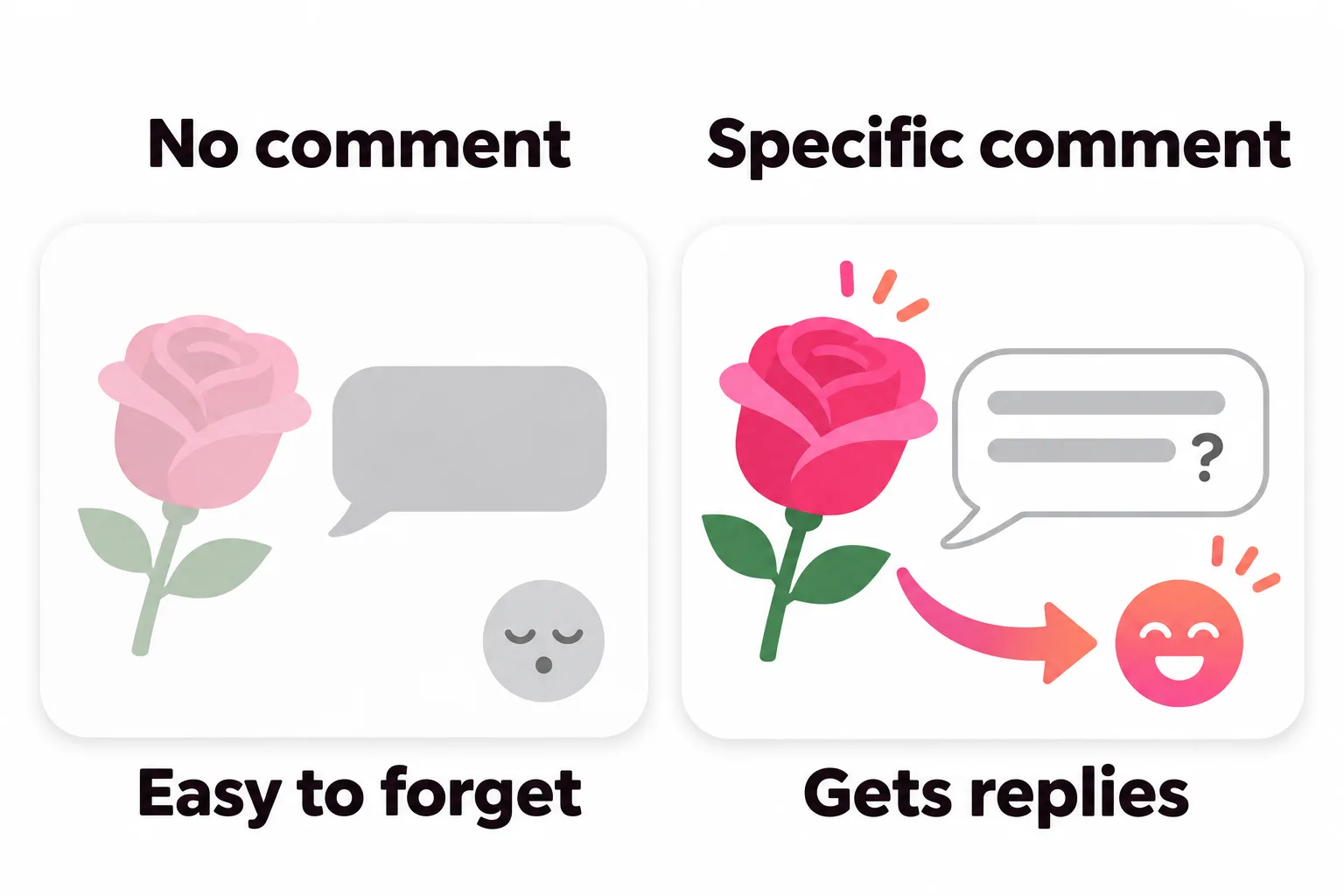
- A rose with no comment reads as "I like your look". Fine, but easy to forget.
- A rose plus a pointed comment reads as "I actually read your profile". That's the version that gets replies.
- A rose with an intense message ("You're perfect, marry me") is where it can feel like too much.
Some good comments to pair with a rose:
- "Your answer about a perfect Sunday is exactly mine, minus the 6 a.m. run. Where do you get your bagels?"
- "Okay, I need the story behind the photo with the goat."
- "A fellow pottery beginner. Has your first bowl survived yet?"
If you're stuck on what to say, the free tool below suggests openers based on what's on their profile.
Who to send your rose to
With only one free rose a week, a little strategy helps:
- Check Standouts first. These are profiles getting lots of attention, and a rose is the only way to reach them. Hinge says sending one "increases your chances of matching with someone receiving a lot of attention".
- Use it on someone you'd genuinely like to meet, not as a long shot on the most popular profile you've ever seen.
- Add a comment every time. A rose is a strong signal; a comment gives them something to reply to.
- Don't let it lapse. If the week is nearly over and your rose is unused, send it to the best profile you've seen; it won't carry over.
Receiving a rose on Hinge
If someone sends you a rose, you'll see them at the top of Likes You with a rose icon. Tap their profile, then either send a message or tap Match. If you're not interested, just skip them. You don't need a subscription to see or accept a rose.


No good photos of yourself?
Turn a selfie into realistic dating photos: travel, dinner, outdoors and more. One selfie is enough. From $29, one-time.
Roses work better with a strong profile
A rose gets you seen first, but what happens next depends on your photos and prompts. If your lead photo is dark, blurry or doesn't show your face well, priority placement won't help much. Start with clear, recent Hinge photos and a couple of prompts that give people something to comment on. If you're thinking about paying for priority, it's worth reading whether HingeX is worth it first.
Frequently asked questions
What happens when you send a rose on Hinge?
Your like arrives with a rose icon and is pinned above every other incoming like on their Likes You screen, HingeX Priority Likes included. They still have to accept it for it to become a match.
Is sending a rose on Hinge weird?
Not usually. It's a built-in feature and many people only get one a week, so most read it as a compliment. It feels less random when you add a short, specific comment so they know what caught your eye.
How many roses do you get on Hinge?
One free rose a week for every member, free or paid. You can top up with packs of 3, 12 or 50, and those bought roses keep until you use them.
Does a rose use one of your daily likes?
No. Your rose has its own weekly allowance, so it still works on a day when your likes are used up.
Rose vs like on Hinge, which should I send?
Send a commented like to most people. Keep the rose for the profile you'd most regret missing, or for someone in Standouts, where a normal like isn't an option.
Can you see who sent you a rose on Hinge for free?
Yes. Roses show at the top of your Likes You list with a rose icon, and you can open that profile and match without paying.
Sources
Written and reviewed by
Dating profile editor at DatingProfile
Mark writes and reviews DatingProfile’s guides to dating profiles: the photos, bios and prompts that work on Tinder, Hinge and Bumble, and how each app actually behaves.
@mark_x_997