Hinge
What Are Standouts on Hinge? How They Work and How to Become One
 By MarkUpdated November 20265 min read


Short answer
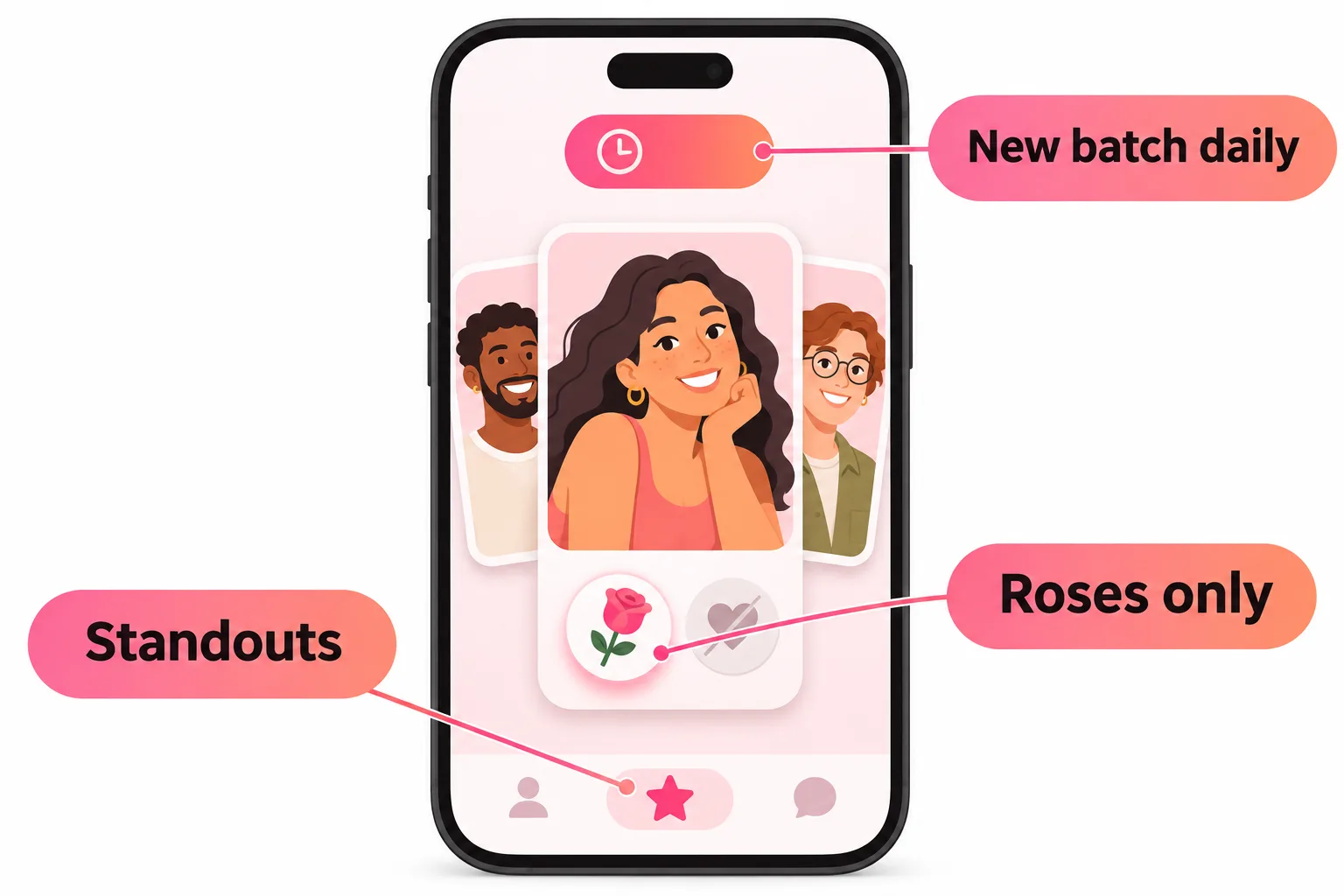
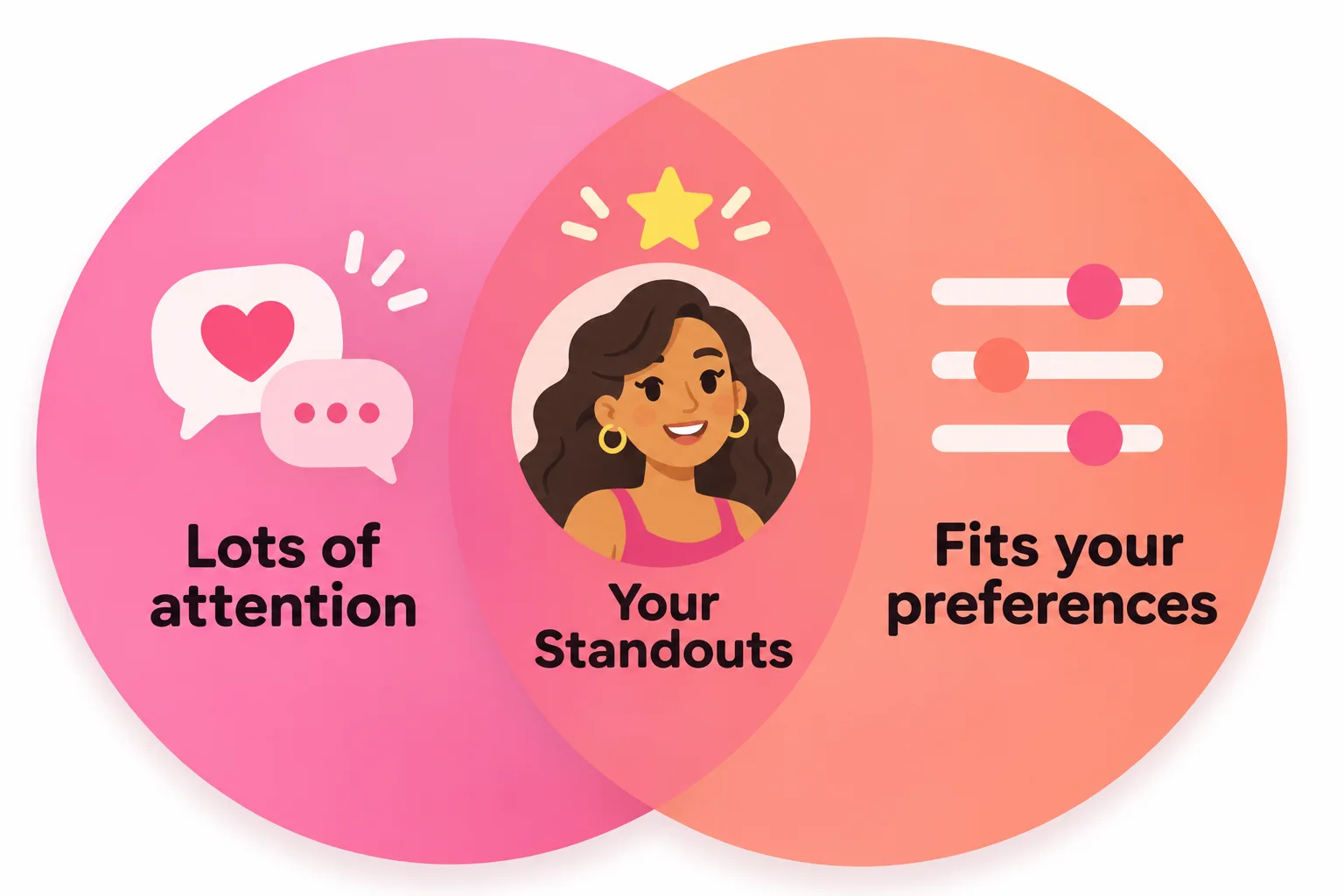
Standouts on Hinge are a daily feed of profiles that are getting the most attention on the app and fit your preferences and recent activity. You open them from the star icon, a new batch arrives every day, and you can only send them a rose, not a regular like.
What are Standouts on Hinge? Standouts is a separate feed of profiles that Hinge says are "catching the most attention on Hinge, tailored to your preferences and recent activity". You find it under the star icon, a fresh batch arrives every day, and the only way to reach someone there is a rose.
Think of Standouts as Hinge's shortlist of popular people who fit what you're looking for. Below: how the feed works, how Hinge picks who's in it, how to become a Standout yourself and whether it's worth spending a rose there.
What are Standouts on Hinge and how do they work?
| Standouts | |
|---|---|
| Where | Star icon in the navigation bar |
| Who appears | Profiles getting a lot of attention that meet your preferences |
| How often it changes | A new batch daily; a Next Refresh timer shows when |
| How to reach someone | Roses only, no regular likes |
| Who can see it | Every Hinge member, free or paid |
| Skipping | Swipe the profile left |
The Next Refresh timer tells you how long you have before the current profiles disappear and new ones arrive. Hinge says some Standouts may show up in your normal Discover feed on a later day, but "it's not guaranteed", so if someone catches your eye, don't wait for them to come round again.
If you skip someone by mistake, free members can undo one skip a week, shared across Discover, Standouts and Likes You. Hinge+ and HingeX subscribers can undo their most recent skip as often as they like.
Why you can only send roses in Standouts
Because these profiles are popular, they're likely to have a long list of incoming likes. Sending a rose lifts you above all of those regular likes, marked with a rose icon. Hinge's own pitch: sending a rose "increases your chances of matching with someone receiving a lot of attention".
Your free rose arrives weekly and doesn't stack, so a Standout costs you either that week's rose or one from a bought pack. Our Hinge roses guide covers how roses work and whether sending one is weird (it isn't).
How does Hinge pick Standouts?
Hinge's help center gives two ingredients:
- Attention. These are profiles "receiving a lot of attention". Hinge doesn't say exactly how it measures this, but likes, comments and roses are the obvious signals.
- Fit for you. They still "meet your preferences" and are tailored to your recent activity, meaning who you've liked and skipped.
That second part is why your Standouts differ from a friend's in the same city. It's a personalised list, not a public leaderboard.
Standouts vs Most Compatible vs HingeX
These three features are easy to mix up:
- Standouts: its own daily feed of high-attention profiles; roses only; free for everyone.
- Most Compatible: one recommendation a day at the top of Discover, based on mutual preferences and patterns in who you and others like. It expires after 24 hours, and you can send a normal like.
- See Compatible People Sooner (HingeX): reorders your Discover feed to show people you're likely to be interested in earlier. Hinge points out that, unlike Standouts, "you don't need to send a Rose".
How to become a Standout on Hinge
There's no button, badge or payment that makes you a Standout. Since Hinge defines them as profiles getting a lot of attention, the realistic way in is to build a profile people engage with. What Hinge itself recommends for more likes lines up with that:
- A clear, smiling first photo. Hinge's research says smiles, candid shots, photos that show your interests and even black-and-white photos tend to get more likes, while mirror selfies, posed shots, sunglasses and filters get fewer.
- Turn on Top Photo. Hinge can test your photos and put the one most likely to get likes first.
- Prompts people want to comment on. Specific, slightly playful answers give people something to reply to, which means more comments and likes.
- A complete profile. Fill in the basics so people who fit your preferences can find you.
- Stay active. Hinge tailors recommendations to recent activity, and it can't recommend you much if you're rarely on the app.
- Don't overthink it. You can't check whether you're a Standout, so focus on whether your profile is getting more likes and replies over time.
Prompts are where most profiles lose people. If yours read like everyone else's, the free tool below suggests answers built around your interests.
How to know if you're a Standout on Hinge
Hinge doesn't notify you. The best hint is getting more roses than usual, because roses are the only way people can reach you from their Standouts feed. It's not proof, since people can also send roses from Discover.
Is it worth spending your rose in Standouts?
Usually, yes, if someone there is genuinely your type. Standouts are, by design, the profiles most likely to be buried under likes, so a rose is the one thing that gets you noticed. A few tips:
- Read the whole profile first. You only have one free rose a week.
- Add a comment. Mention something from their prompts so the rose reads as real interest rather than a shot in the dark.
- Don't send it just because someone is popular. A rose to someone you'd actually enjoy meeting is far more likely to turn into a date.
- Check before the refresh. If you've got a rose and someone you like, send it before the Next Refresh timer runs out.



No good photos of yourself?
Turn a selfie into realistic dating photos: travel, dinner, outdoors and more. One selfie is enough. From $29, one-time.
Getting more out of Hinge beyond Standouts
Standouts are only one feed. Most of your matches will still come from Discover and Likes You, and the same things that make a Standout make you more likeable there. Start with Hinge photos that show your face clearly and what you do for fun, then work through our guide to how to get more likes on Hinge. If you're still unsure what to send in Standouts, see how many likes per day on Hinge for how likes and roses fit together.
Frequently asked questions
What does Standouts mean on Hinge?
It's a separate feed, under the star icon, of profiles that Hinge says are catching the most attention and match your preferences and recent activity. A new set appears every day.
Can you like someone in Standouts without a rose?
No. In Standouts you can only send roses. Everyone gets one free rose a week and you can buy more. Some Standouts later show up in your Discover feed, where a normal like works, but Hinge says that isn't guaranteed.
How does Hinge pick Standouts?
Hinge says Standouts are profiles receiving a lot of attention that still meet your preferences, tailored to your recent activity. It doesn't publish the exact formula.
How do you become a Standout on Hinge?
There's no setting or payment for it. Because Standouts are profiles getting a lot of attention, the realistic route is a profile people engage with: a strong first photo, prompts that invite comments, and staying active.
How do I know if I'm a Standout on Hinge?
Hinge doesn't tell you. A clue is receiving roses, since roses are the only way people can reach you from their Standouts feed, but people can also send roses from Discover.
Is Standouts the same as Most Compatible or HingeX?
No. Most Compatible is one daily pick at the top of Discover, and HingeX's See Compatible People Sooner reorders your Discover feed. Standouts is its own feed that every member can see.
Sources
Written and reviewed by
Dating profile editor at DatingProfile
Mark writes and reviews DatingProfile’s guides to dating profiles: the photos, bios and prompts that work on Tinder, Hinge and Bumble, and how each app actually behaves.
@mark_x_997