Dating profile photos
How to Take Pictures for Tinder (Even by Yourself)
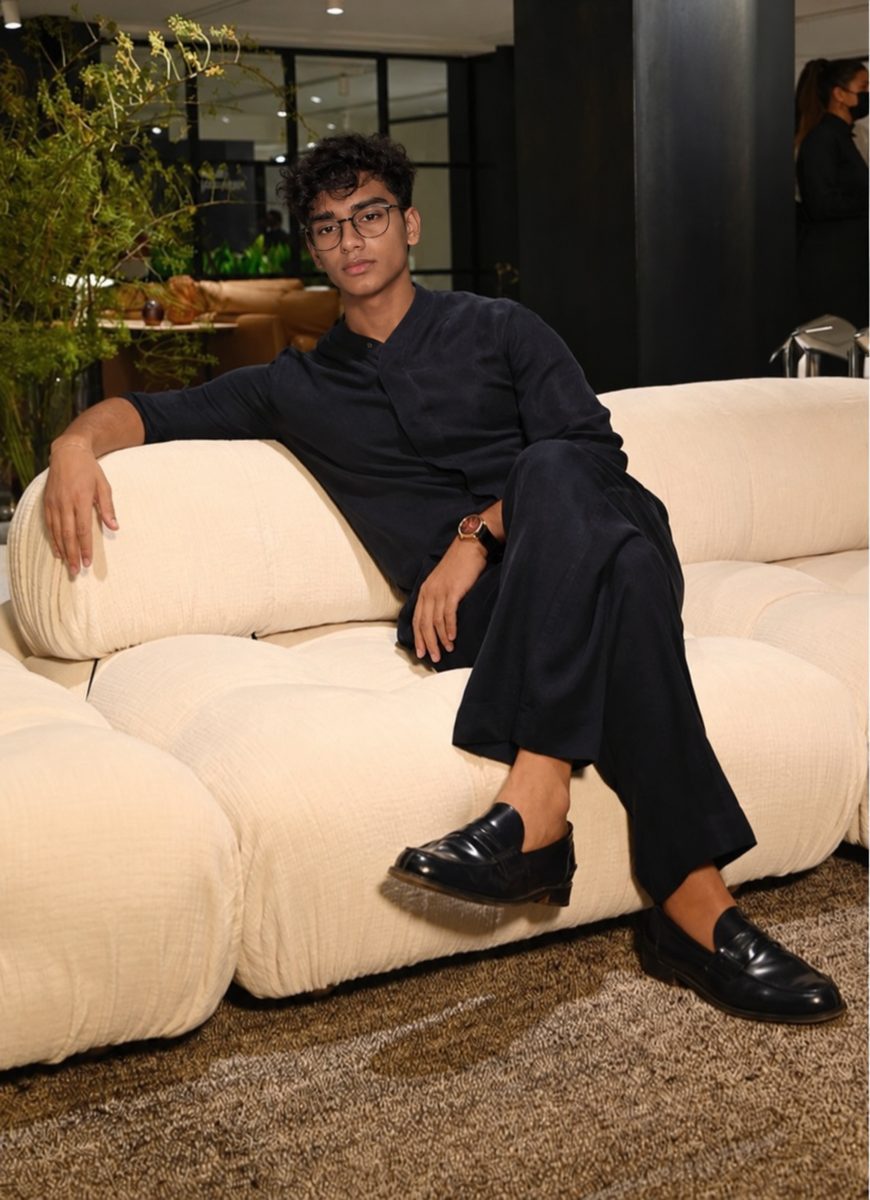
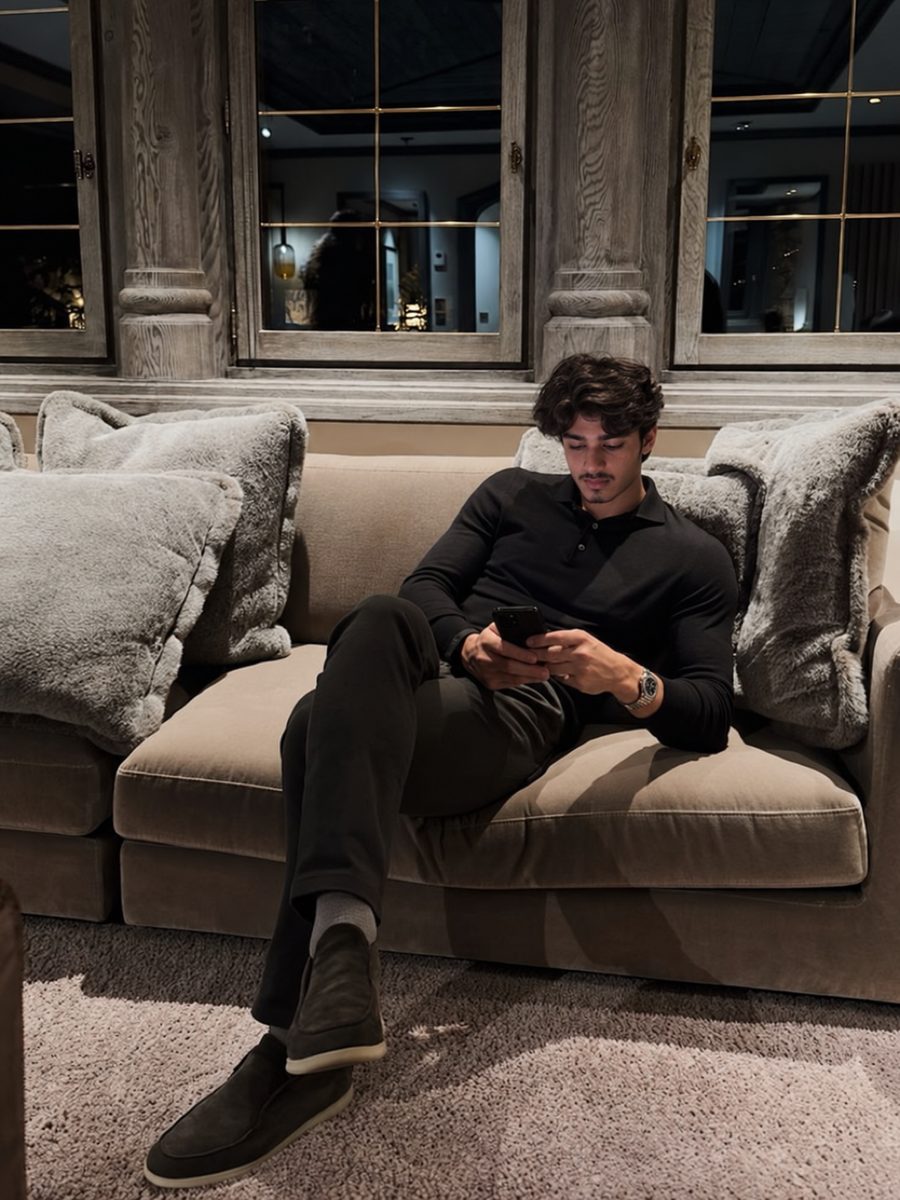
Take Tinder pictures with your phone's rear camera in soft daylight, such as open shade or an hour before sunset, with the camera at chest to eye height and your face in focus. Shoot a face photo, a full-body photo and a few candid shots in different spots, using a friend or a tripod with the timer and burst mode.


 Made with DatingProfile
Knowing how to take pictures for Tinder comes down to three things: soft light, the right camera height and lots of shots. You don't need a photographer or a good camera. A recent phone, half an hour and either a friend or a cheap tripod is enough for a full profile.
Before you start
- Wipe the lens. A smudged lens is the most common cause of hazy, soft photos.
- Use the rear camera. On most phones it's sharper and has a more natural lens than the selfie camera.
- Turn off beauty filters and any face-smoothing setting.
- Pick two or three outfits you'd actually wear on a date: one casual, one smarter, one for an activity.
- Plan three spots within a few minutes' walk: a plain wall, a street or park, and somewhere that shows a hobby.
When to take Tinder photos
Light makes more difference than location. The best times:
| Light | Why it works |
|---|---|
| Open shade on a sunny day | Even light, no squinting, no harsh shadows |
| Overcast day | Soft and flattering everywhere |
| An hour before sunset | Warm, low light that's kind to skin |
| Indoors by a big window | Face the window, not away from it |
Avoid midday sun overhead (dark shadows under your eyes and nose) and dim bars or restaurants at night (grain and blur).
How to take pictures for Tinder with a friend
A friend makes everything easier, as long as you give them simple instructions:
- Camera at chest to eye height. Not from below, which is unflattering, and not from high above.
- Use 2x zoom if your phone has it and step back a little. It's closer to how people see you and avoids the wide-lens stretch at the edges.
- Tap on your face to focus before each set.
- Hold the shutter for burst mode while you move, laugh or walk.
- Fill the frame. Head and chest for face photos; head to toe with a little space for full-body.
Then do the work on your side: talk, move, look away and back, react to something. Natural expressions happen between poses, so take many more shots than you need.

How to take Tinder photos by yourself
No friend available? This works almost as well:
- Set up the phone at chest height. A small phone tripod, a wall, a stack of books, a car roof.
- Use the timer. The iPhone Camera app has a 3 or 10 second timer, and iPhone Photography School reports that it takes a burst of 10 photos per press, so you get several frames to choose from. Most Android camera apps have a similar timer.
- Use a remote if you have one. Many phones let a paired watch or Bluetooth remote trigger the shutter, so you can see yourself and shoot when you're ready.
- Move between shots. Walk toward the camera, turn, sit, stand.
- Shoot in landscape and crop later if you're not sure about framing; it gives you room. Portrait orientation suits Tinder's card best for the final photo.
The 30-minute Tinder shoot
| Shot | Where | Notes |
|---|---|---|
| Face photo | Plain wall in open shade | Chest up, smile, look into the lens |
| Full body | Street or path | Walk toward the camera, burst mode |
| Candid | Cafe or bench | Coffee in hand, look away and laugh |
| Activity | Your hobby spot | Actually do the thing; cooking, guitar, a run |
| Smarter outfit | Doorway or evening street | Leave room around you |
Five shots across three spots and two outfits gives you a full, varied set in one afternoon. Tinder's Photo Tips feature specifically pushes for variety in "activities, settings, and poses", and this plan covers all three.
How to take a good Tinder photo: choosing afterwards
- Zoom in on your eyes. If they're not sharp, skip it.
- Pick the frames where you look relaxed, not the ones where you look "best posed".
- Make sure your face photo is well lit and unobstructed. In many countries Tinder won't show your profile at all until it can detect one.
- Light edits only: brightness, a slight crop. No smoothing.
- Ask a friend which two they'd swipe on, or try the free rater above.
Then use what pictures to put on Tinder to put them in order. If they turn out soft, Tinder blurry photos explains why.
No time for a shoot?
If a shoot keeps slipping down your list, DatingProfile can stand in for the photographer. Take one good selfie using the light tips above (up to 4 give an even closer likeness), and the HyperReal™ method turns it into phone-style photos of you in different places and outfits, like relaxing at home, a drive or dinner out. Each style comes back as 4 shots in about a minute. Choose the frames that look like you on an ordinary day, keep your real face photo in the set, and stay within Tinder's rules, which ask for photos that honestly represent you. Payment is one-off: $29 for the Fix Pack (up to 30 photos) or $49 for the Pro Pack (up to 140), with a 14-day guarantee.
Pricing
Packs and prices
Two one-time packs. Pay once: no subscription, nothing to cancel. Both are covered by the refund policy.
The Fix Pack
A quick upgrade for your profile.
$29one-time
Up to 30 photos · $0.97 per photo
Choose Fix- HyperReal™ photos in any of 62 styles
- Ready in about a minute
- Works with app photo verification
- 14-day satisfaction guarantee
The Pro Pack
The sweet spot for a full glow-up.
$49one-time
Up to 140 photos · $0.35 per photo
Choose Pro- HyperReal™ photos in any of 62 styles
- Enough for about 35 styles, 4 shots each
- Lowest price per photo
- Ready in about a minute
- Works with app photo verification
- 14-day satisfaction guarantee
DatingProfile vs a dating photographer
| Factor | DatingProfile |  Photographer |
|---|---|---|
| Cost | From $29 | $300–$500 per shoot |
| Turnaround | Under a minute per photo | Days to weeks |
| Scenes & outfits | 62 styles, 4 different shots each | Whatever fits in one shoot |
| Want more? | Buy another pack anytime | Book and pay again |
| Looks like you | Yes, made from your selfies | Yes |
Privacy: Your selfies and generated photos are never used to train AI models and are never shared or sold. Only you can see them, and you can delete them from your dashboard at any time.
Frequently asked questions
How do I take Tinder photos by myself?
Prop your phone on a small tripod or a stack of books at chest height, use the rear camera, set the timer to 10 seconds and turn on burst mode or timer bursts. Then move a little between shots, walk toward the camera, and pick the most natural frame afterwards.
What's the best light for Tinder pictures?
Soft, even daylight. Open shade on a sunny day, an overcast sky, or the hour before sunset all flatter skin. Avoid midday sun overhead, which puts shadows under your eyes, and dim indoor light, which makes photos grainy.
Should I use portrait mode for Tinder photos?
It can help on a busy background, but check the edges. Portrait mode sometimes blurs bits of hair, glasses or ears, which looks fake. If it does, switch it off and stand further from the background instead.
How do I look natural in Tinder pictures?
Move instead of posing. Walk, laugh at something your friend says, look away and back, hold a coffee. Take lots of shots, because natural expressions happen between the poses.
Are mirror selfies OK for Tinder?
One is fine for showing an outfit or build, but they rarely make a good first photo, and a profile of only mirror selfies looks low effort. Tinder's Photo Tips may suggest replacing similar selfies with a hobby photo.
Sources
Keep reading
More photo guides
- Tinder PicturesLead with a clear, smiling solo face photo, then add full body, a hobby, a social shot and a place.See the guide
- Dating Profile PicturesFour to six recent, well-lit photos: a clear face shot, full body, two or three real activities, nothing filtered.See the guide
- Dating App PhotosOne set of four to six clear, varied photos works on Tinder, Hinge and Bumble; only the counts and tools differ.See the guide
- Hinge PhotosHinge needs four to six photos; make each one easy to comment on, starting with a clear, smiling solo shot.See the guide
- AI Selfie GeneratorIt turns one selfie into new photos of you; pick one that keeps your face consistent and never trains on your photos.See the guide
- Tinder Dog PicsPut your own dog in photo two or three, with your face clearly visible, never as your lead photo.See the guide
Better photos, more matches
Turn one selfie into dating profile pictures
Hyperrealistic photos of you for Tinder, Hinge and Bumble, about a minute per photo. From $29, one-time.
Create my photos

