Dating profile photos
What Pictures to Put on Tinder: A Simple Checklist
Put four to six recent photos of you on Tinder: a clear smiling face photo first, then a full-body shot, a hobby or activity, a photo with friends where you're easy to spot, and a place you've been. Leave out anything blurry, old, heavily filtered or where your face is hidden.


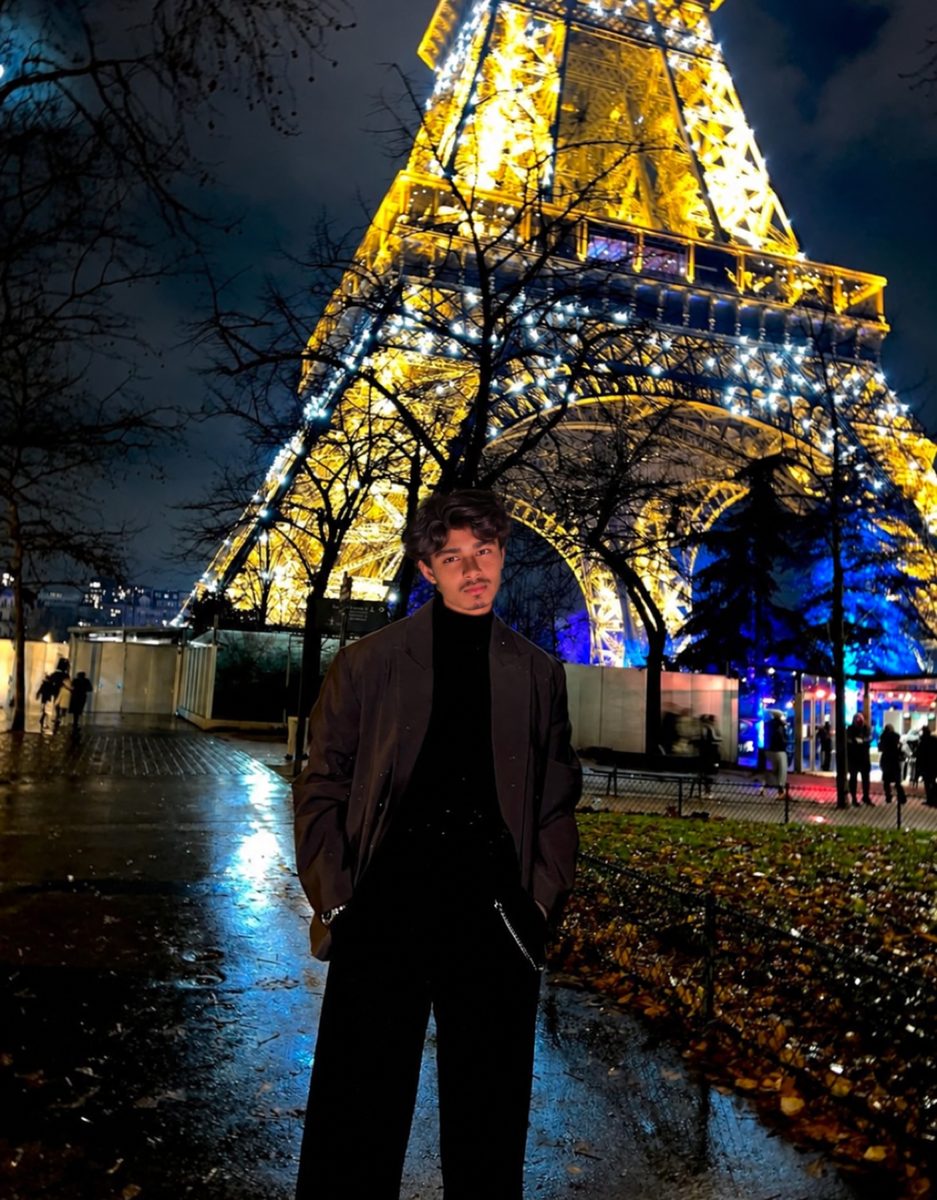

 Made with DatingProfile
Deciding what pictures to put on Tinder is easier if you treat it as filling five slots rather than picking your favorite photos. Each slot answers a question the person swiping has: what does your face look like, what do you look like overall, what do you do, do you have friends, and where do you go. Fill each slot with your best option and you have a complete profile.
What pictures to put on Tinder: the five slots
| Slot | Question it answers | What to put |
|---|---|---|
| 1. Face | "What do they look like?" | Chest-up, smiling, looking at the camera, good light, alone |
| 2. Full body | "What's their build and style?" | Standing, head to toe, everyday clothes |
| 3. Activity | "What do they do?" | A hobby you really do: sport, cooking, music, climbing |
| 4. Social | "Do they have a life?" | You with friends or at an event, clearly the main person |
| 5. Place | "Where do they go?" | Travel, a hike, a city, a beach, with you as the subject |
If you have a sixth great photo, add a conversation starter: your dog, a dressed-up photo from a wedding, or something a bit funny. If you don't, five strong photos are better than six with one weak link.
What photos should I put on Tinder from my camera roll?
Most people have more usable photos than they think. Go through the last year of your camera roll with this filter:
- You're the clear subject. Not a speck in a landscape, not one of eight people.
- Your face is visible in at least most of them. No sunglasses in the first one.
- It's sharp when you zoom in on your eyes.
- It looks like you now. Same hair, same beard, roughly the same build.
- The light is decent. Daylight beats dim restaurants.
- No ex, no cropped-out arm on your shoulder.
Sort what passes into the five slots. Any slot that's empty tells you exactly which photo to go and take.
Tinder can help with the first pass. Photo Selector (iOS and Android) scans your camera roll on your device and suggests photos that might work as profile photos, based on things like lighting and composition, and it filters out group photos. Tinder says the scan stays on your phone and only the photos you choose get uploaded.

What pics to put on Tinder first
Your first photo matters most, because many people decide from it alone. The best first photo is simple:
- Chest up or closer
- Looking at or near the camera
- A real smile
- Daylight or soft window light
- A plain or lightly busy background
- Nothing covering your face
It also has a technical job. Where Tinder's face photo rule applies, your profile stays hidden until the app can find a face, and the help center says well-lit close-ups work best. That's exactly what makes a good first photo anyway.
If you can't choose between two lead photos, Tinder's Smart Photos setting can test them for you.
What photos to put on Tinder for each goal
Your photos should match what you're looking for. A few quick adjustments:
- Something serious: lean on everyday photos: cooking, a walk, with family or friends. Fewer party photos.
- Meeting people while traveling: a recent photo in the city you're in helps, but keep a clear face photo first.
- Shy about photos: fewer, better photos. Three strong ones beat six forced ones.
- Changed recently: new haircut, beard or weight change? Replace older photos first; they'll also cause trouble with photo verification.
What not to put on Tinder
- A group photo first. People shouldn't have to work out which one you are.
- Only selfies. Tinder's own Photo Tips suggests swapping one of several similar selfies for a hobby photo.
- Heavy filters. Smoothed skin and enlarged eyes look fake and can make you look different from your verification selfie.
- Old photos. If you'd look different on the date, it starts things badly.
- Anything against the guidelines. Tinder's Community Guidelines rule out nudity, violent content, photos of unaccompanied minors (including you as a child) and other people's images posted without their consent.
For the order, look and a full list of photos that cost matches, see Tinder pictures. If the problem is quality rather than choice, Tinder blurry photos covers the fixes.
Missing a slot? Fill it from one selfie
The camera-roll sort above usually leaves one or two slots empty, most often the full-body shot, the place or the activity. DatingProfile's HyperReal™ method can fill them from one selfie (up to 4 for a closer likeness). Pick styles that match your actual life, like the beach, a round of golf or an evening in the city, and choose from 4 shots per style. The photos keep your real face; use the ones that look like you now and follow Tinder's rules on honest photos. Either pack is a single payment, $29 for up to 30 photos or $49 for up to 140, with a 14-day guarantee.
Pricing
Packs and prices
Two one-time packs. Pay once: no subscription, nothing to cancel. Both are covered by the refund policy.
The Fix Pack
A quick upgrade for your profile.
$29one-time
Up to 30 photos · $0.97 per photo
Choose Fix- HyperReal™ photos in any of 62 styles
- Ready in about a minute
- Works with app photo verification
- 14-day satisfaction guarantee
The Pro Pack
The sweet spot for a full glow-up.
$49one-time
Up to 140 photos · $0.35 per photo
Choose Pro- HyperReal™ photos in any of 62 styles
- Enough for about 35 styles, 4 shots each
- Lowest price per photo
- Ready in about a minute
- Works with app photo verification
- 14-day satisfaction guarantee
DatingProfile vs a dating photographer
| Factor | DatingProfile |  Photographer |
|---|---|---|
| Cost | From $29 | $300–$500 per shoot |
| Turnaround | Under a minute per photo | Days to weeks |
| Scenes & outfits | 62 styles, 4 different shots each | Whatever fits in one shoot |
| Want more? | Buy another pack anytime | Book and pay again |
| Looks like you | Yes, made from your selfies | Yes |
Privacy: Your selfies and generated photos are never used to train AI models and are never shared or sold. Only you can see them, and you can delete them from your dashboard at any time.
Frequently asked questions
What photos should I put on Tinder?
Recent photos of you that show your face clearly, what you look like overall, and a few parts of your life. Fill five slots: face, full length, an activity, friends and somewhere you've been.
Should I fill every photo slot on Tinder?
Only with photos as strong as the rest. Four to six good ones is a solid target. Tinder's Photo Tips may suggest adding more when you have few, but a weak extra photo pulls the whole set down.
What pics should I not put on Tinder?
Group photos as your first photo, sunglasses or hats that hide your face, heavy filters, blurry or dark photos, photos more than a year or two old, and photos with an ex cropped out. Anything that breaks Tinder's Community Guidelines can be removed.
Do I need a face photo on Tinder?
In many regions, yes. Tinder requires at least one face photo in a growing number of countries and hides profiles where it can't detect a clear face. Tinder says a well-lit close-up works best.
Can Tinder help me choose photos?
Yes. Photo Selector, available on iOS and Android, scans your camera roll on your device and suggests photos that might work, filtering out group photos. Photo Tips, in select markets, suggests photos to add or replace.
Sources
Keep reading
More photo guides
- Tinder PicturesLead with a clear, smiling solo face photo, then add full body, a hobby, a social shot and a place.See the guide
- Dating Profile PicturesFour to six recent, well-lit photos: a clear face shot, full body, two or three real activities, nothing filtered.See the guide
- Dating App PhotosOne set of four to six clear, varied photos works on Tinder, Hinge and Bumble; only the counts and tools differ.See the guide
- Hinge PhotosHinge needs four to six photos; make each one easy to comment on, starting with a clear, smiling solo shot.See the guide
- AI Selfie GeneratorIt turns one selfie into new photos of you; pick one that keeps your face consistent and never trains on your photos.See the guide
- Tinder Dog PicsPut your own dog in photo two or three, with your face clearly visible, never as your lead photo.See the guide
Better photos, more matches
Turn one selfie into dating profile pictures
Hyperrealistic photos of you for Tinder, Hinge and Bumble, about a minute per photo. From $29, one-time.
Create my photos
