
Tinder
Can You Send Pictures on Tinder? What You Can Share in Chat
 By MarkUpdated November 20265 min read


Short answer
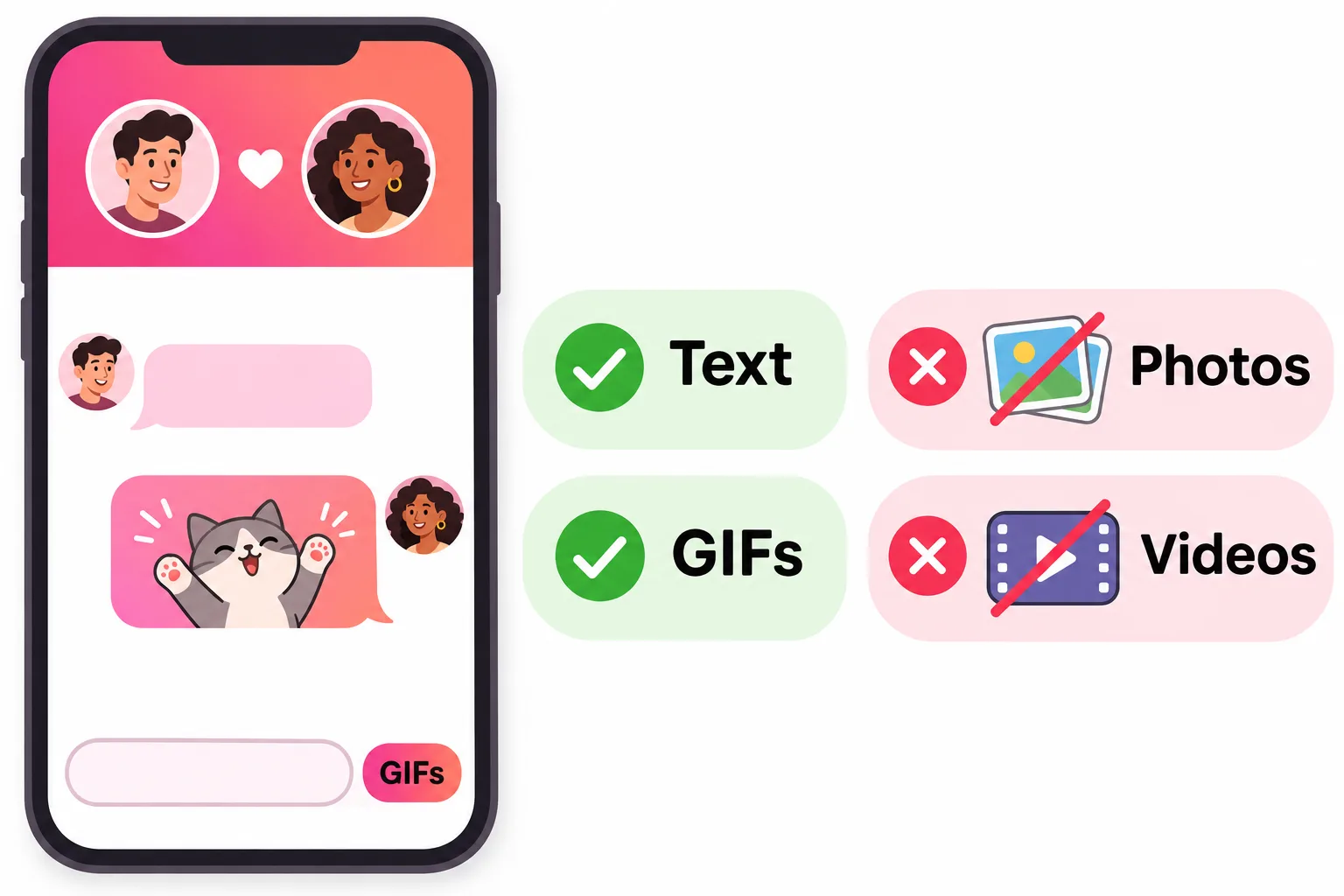
No, you can't send pictures from your camera roll in a Tinder chat as of November 2026; Tinder's messaging supports text, GIFs and Bitmoji, and its help center doesn't mention any photo attachment. If you want to show someone a photo, add it to your profile or wait until you've moved to another app you both trust.
Can you send pictures on Tinder? No. As of November 2026 Tinder's chat has no way to attach a photo from your camera roll. You can send text, GIFs and Bitmoji, and Tinder's own help center suggests exactly those to "liven up your first message". Anything else you want someone to see has to go on your profile, or wait until you've moved to another app.
Here's what you can send, why photos aren't allowed, and how to share one sensibly.
Can you send pictures on Tinder chat?
Not through the chat itself. When you open a conversation you'll see a text box and a GIF button, and depending on your version and region a Bitmoji option. There's no camera or gallery icon. Tinder's help pages about messaging don't mention photo attachments at all, and independent guides written in 2025 and 2026 agree.
| You can send | You can't send |
|---|---|
| Text and emoji | Photos from your camera roll |
| GIFs (GIF button next to the text box) | Videos |
| Bitmoji, where available | Voice notes (not described in Tinder's help center) |
| Links typed as text | Video calls (Face to Face video chat has been retired) |
Tinder also retired its in-app video chat. Its help center now says Face to Face video chat "has been deprecated", so the chat is text-first.
Why you can't send pictures on Tinder
Tinder hasn't published a single official reason, but the history and its safety tools point the same way.
- It tried photo sharing once. In 2014 Tinder launched Moments, photos that disappeared after 24 hours. TechCrunch reported in November 2015 that Tinder dropped Moments in an inbox redesign.
- Strangers sending photos is a safety risk. Unsolicited explicit images are a well-known problem on dating apps, and Tinder now has a dedicated help page for reporting intimate images shared without consent.
- Tinder wants you to know who you're talking to. Its Photo Verified Chat setting lets verified users receive messages only from other verified people. Keeping chat to text and GIFs fits that approach.
How to send a picture on Tinder (the workarounds)
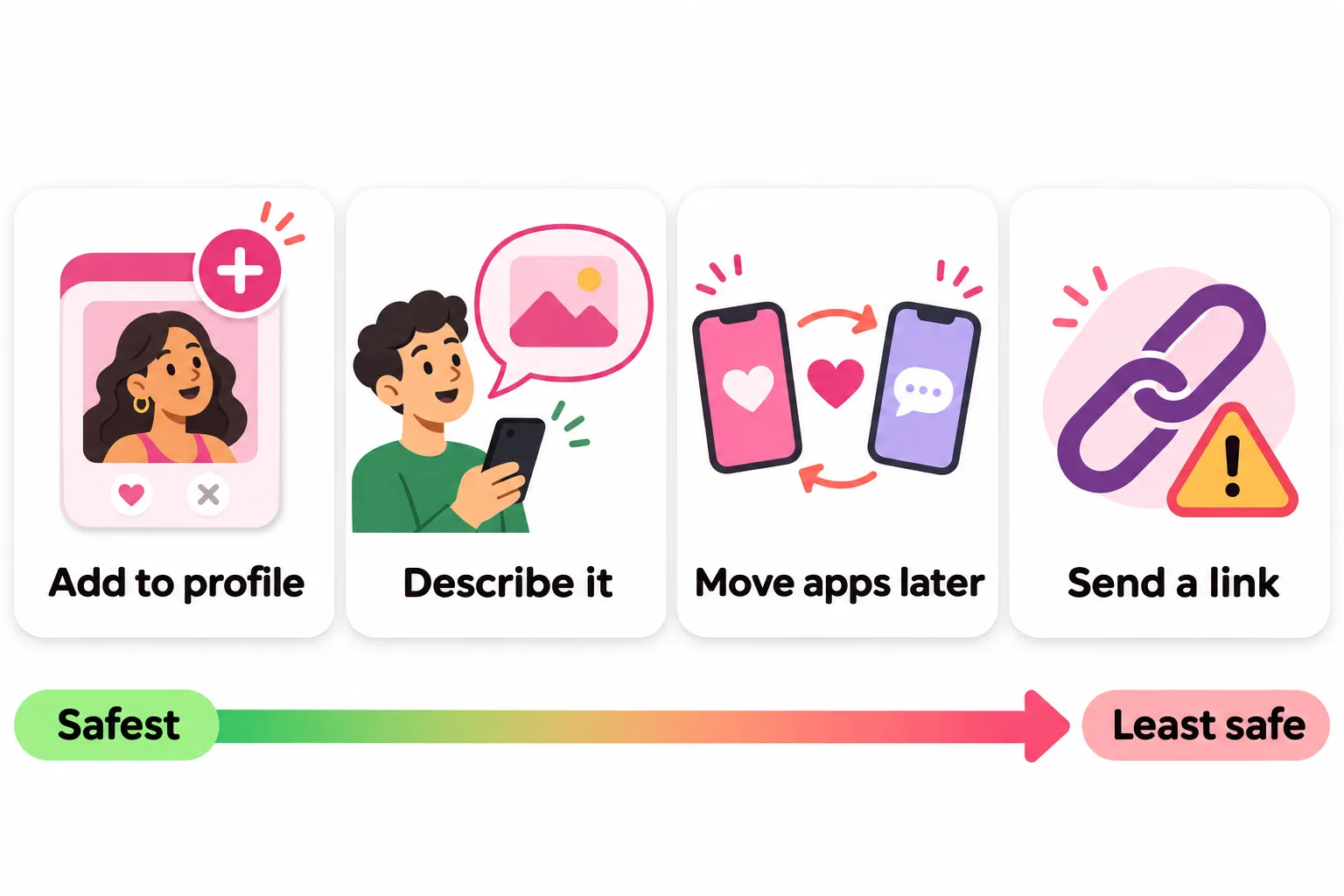
If you really want a match to see something, here are the options, from safest to least safe:
- Add it to your profile for a day. Upload the photo (your dog, the cake you baked, the view from your hike), then message "Just added a photo of the cake, judge me". It stays inside Tinder and you can delete it afterwards.
- Describe it. "I have a photo of my cat wearing a tiny raincoat and I'll show you on our first date" is often a better message than the photo would be.
- Move to another app once you trust them. When you've talked for a while and both want to, swap numbers or Instagram handles and share photos there. Don't feel pressured to do this early.
- Send a link, carefully. You can type a link as text, but many people won't click a cloud-drive or image-host link from someone they just matched with, because that's a common scam pattern.
What not to send
- Never send intimate photos to someone you haven't met. Once a photo leaves your phone you lose control of it.
- Don't ask for photos either. It reads as pushy, and people unmatch over it.
- Don't send anything with your address, workplace badge or car plate visible.
Before you share photos anywhere else
When you do move to another app and start swapping photos, a few habits keep you safe:
- Check the background. House numbers, street signs, your office lobby and school logos can tell a stranger more than you meant.
- Turn off location in the photo. Most phones can store where a photo was taken inside the file. On iPhone, tap Options on the share sheet and switch off Location; on Android, look for a similar option in your camera or gallery settings.
- Share what you'd be fine seeing forwarded. Anything you send can be saved or screenshotted on another app.
Tinder itself adds some protection for profiles. In select regions it blocks screenshots and screen recordings of profiles: completely on Android, and while profiles are on screen on iOS. Tinder is clear that "no technology can completely prevent profile content from being captured", for example by someone photographing the screen with another device.
What to send instead of a photo on Tinder
The best first messages don't need a photo. They pick up on something in the other person's profile and ask a question that's easy and fun to answer:
- "Your second photo looks like the Amalfi coast. Was that the best pasta of your life or overrated?"
- "You said you're learning guitar. What's the one song you're determined to nail?"
- "Okay, settle this: is a hot dog a sandwich?"
A well-chosen GIF works as a reaction ("me finding out you also hate cilantro"), not as the whole message. For more, see our good Tinder openers and how to start a conversation on Tinder.



No good photos of yourself?
Turn a selfie into realistic dating photos: travel, dinner, outdoors and more. One selfie is enough. From $29, one-time.
Show them on your profile instead
Since you can't send pictures, your profile photos do all the visual work. They're the only photos a match will see before you meet. Make sure they're recent and clearly you; consider getting Photo Verified so matches know you look like your photos, which also lets you turn on Photo Verified Chat. Our guide to Tinder photo verification walks through it.
Wondering about other apps? See can you send pictures on Hinge. And if your messages aren't sending at all, check Tinder messages.
Frequently asked questions
Can you send photos on Tinder?
Not in chat. As of November 2026 there is no button to attach a photo from your camera roll. Tinder's help center suggests a Bitmoji or a GIF to liven up a message, and independent guides agree that ordinary photo sharing isn't available.
How do you send a picture on Tinder, then?
The simplest workaround is to add the photo to your profile for a while, then tell your match to look. Otherwise wait until you've moved the conversation to another app. Be careful with links to cloud drives or image hosts early on; they can look like spam to your match.
Could you ever send pictures on Tinder?
Sort of. In 2014 Tinder launched Moments, photos that disappeared after 24 hours and went to all your matches at once. Tinder removed Moments in a November 2015 redesign, and photo sharing in chat hasn't come back since.
Can you send GIFs on Tinder?
Yes. Tinder chat has a GIF button next to the text box. Tinder's help center also mentions Bitmoji, though Bitmoji depends on your app version and region.
Can I delete a message on Tinder if I sent the wrong thing?
No. Tinder says you can't delete individual messages. The only way to remove a conversation is to unmatch, which is permanent and removes the match for both of you.
Sources
- Tinder Help Center: Messaging a Match
- Tinder Help Center: Can I delete a message?
- Tinder Help Center: Photo Verified Chat
- Tinder Help Center: Face to Face Video Chat (deprecated)
- Tinder Help Center: Reporting intimate images shared without consent
- TechCrunch: Tinder ditches Moments (November 2015)
- Tinder Help Center: Screenshot and screen recording protection
- Roast: Can you send pictures on Tinder?
Written and reviewed by
Dating profile editor at DatingProfile
Mark writes and reviews DatingProfile’s guides to dating profiles: the photos, bios and prompts that work on Tinder, Hinge and Bumble, and how each app actually behaves.
@mark_x_997


