
Tinder
Tinder Unmatch: How to Unmatch Someone and What Happens Next
 By MarkUpdated November 20265 min read


Short answer
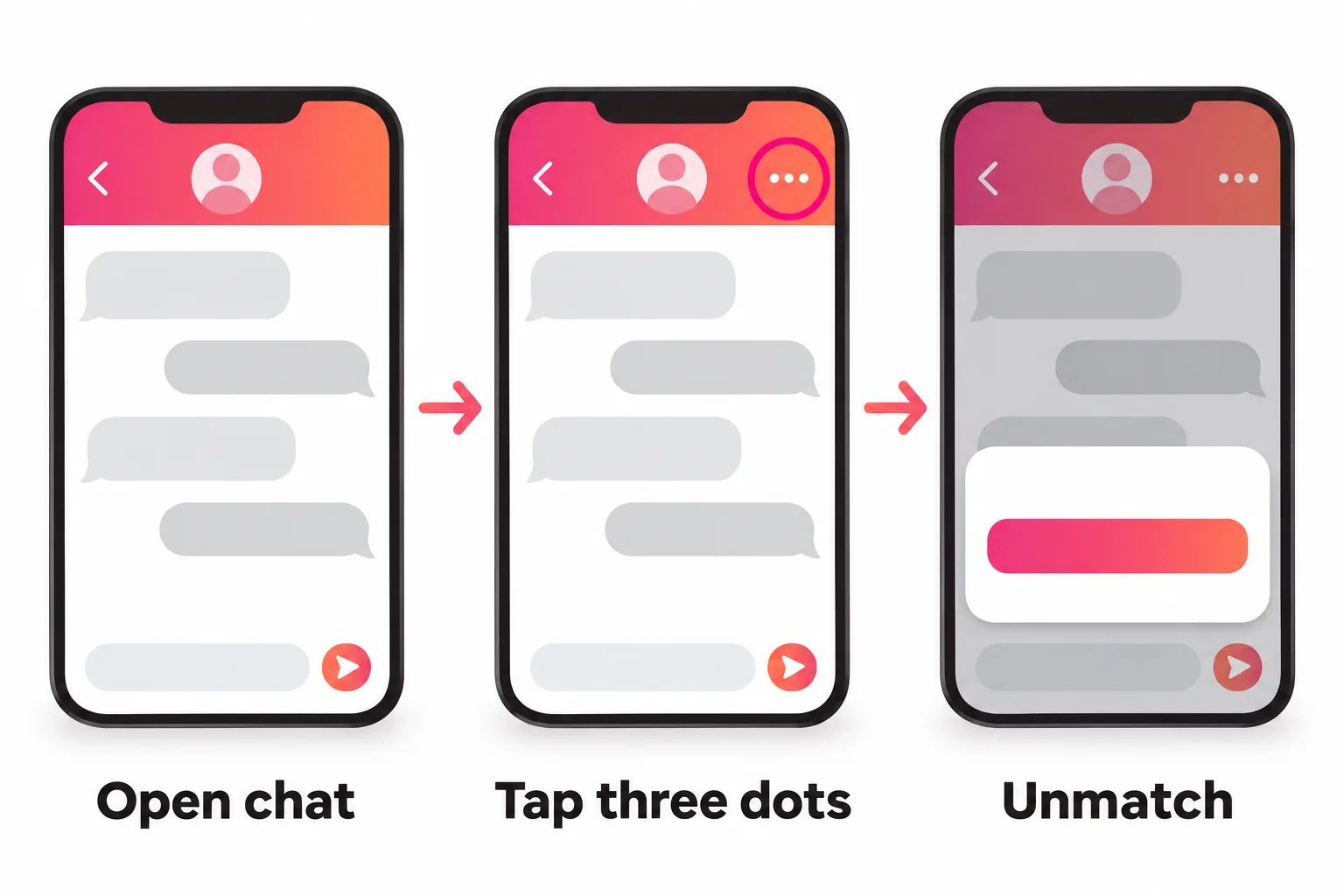
To unmatch on Tinder, open your chat with that person, tap the three dots in the top right corner and tap Unmatch. You both disappear from each other's match lists and the conversation is deleted; Tinder doesn't notify them, and unmatching is permanent, so you can't undo it or rematch.
How do you unmatch on Tinder? Open the chat with that person, tap the three dots in the top right corner and tap Unmatch. You both vanish from each other's match lists and the conversation is deleted for both of you. Tinder doesn't notify them, and unmatching is permanent: you can't undo it, and you can't rematch.
This page is about unmatching someone yourself. If you think someone unmatched you, see unmatched on Tinder instead.
How to unmatch on Tinder, step by step
- Open Tinder and go to your match list.
- Open the chat with the person you want to unmatch. (For a new match you haven't messaged yet, tap them in the top row to open the chat.)
- Tap the three dots in the top right corner.
- Tap Unmatch and confirm.
If it's available in your region, Tinder also lets you block the profile while unmatching, so you won't see each other's profiles again.
Tinder's help center also describes reaching the same menu from your match's profile.
What happens when you unmatch on Tinder
According to Tinder:
- You disappear from their match list, and they disappear from yours.
- The whole conversation is deleted for both of you. Tinder says unmatching is the only way to remove a conversation, since you can't delete individual messages.
- They aren't notified. Tinder says the person "won't be notified", but "may notice you're missing from their Matches".
- It's permanent. Tinder calls unmatching "a permanent action" that "can't be reversed".
What it doesn't do: it doesn't block their account from Tinder, delete their profile, or report them. Those are separate actions.
Does the other person know you unmatched them?
Not from Tinder. There's no notification. But the chat disappears from their list, so if they go looking for it, they'll see it's gone. They can't tell for sure whether you unmatched or deleted your account, since Tinder treats both the same on their side.
If I unmatch on Tinder, can I rematch?
No. There's no rematch option and no way to send a new like to someone you've unmatched. Tinder is blunt: "this action is permanent and can't be reversed."
The only way you might see them again is outside Tinder's control: Tinder says profiles can reappear in Discovery when someone deletes their account and comes back. That's not a rematch, and you can't make it happen.
Accidentally unmatched someone?
Tinder's help center has a section for exactly this, with an "oops!", and the same answer: it can't be reversed. If you'd already swapped numbers or socials, that's the only way to reach out and explain. Otherwise, there's nothing in the app that brings the match back. To avoid it happening, slow down in the three-dots menu and read the option before you tap it.
Unmatch vs block vs report on Tinder
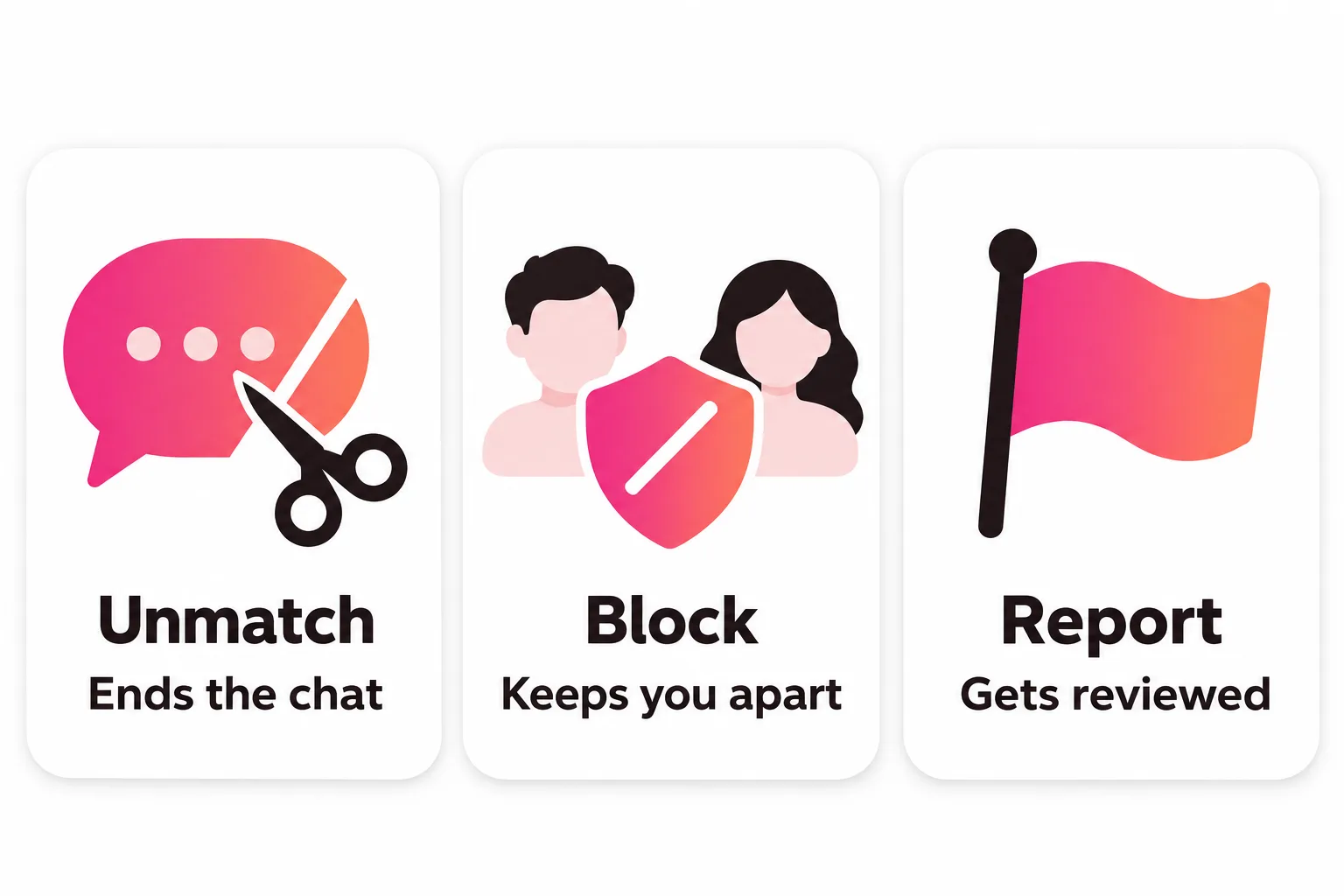
These do different things, and you can combine them.
| Unmatch | Block a profile | Block contacts | Report | |
|---|---|---|---|---|
| Ends the chat | Yes | Not stated | No | No (unmatch separately) |
| They can't see your profile | No | Yes | Tinder tries to stop it | No |
| They're notified | No | Not stated | No | Generic notice possible, reporter not revealed |
| Reversible | No | No | Yes | Not applicable |
| Tinder reviews them | No | No | No | Yes |
- Block a profile is a permanent action from the bottom of someone's profile (tap "Block [name]", then "Yes, block"). Tinder says neither of you will see the other. It's still being tested and isn't available to everyone.
- Block Contacts lets you block people from your phone contacts or by entering a number or email, so Tinder can try to stop you seeing each other. It works only if their Tinder account uses the same contact details, and it doesn't affect existing matches.
- Report sends the person to Tinder's safety team. Tinder keeps reports confidential: the person may be told their account was reviewed, but not who reported them.
When to report before you unmatch
If someone was abusive, threatening, scamming or sending unwanted sexual content, report them from the chat first: three dots, Report, then follow the steps.
If you've already unmatched, you can still report by email. Tinder asks for:
- the reason for the report,
- the person's exact name, age, bio and photos (screenshots are best),
- their location, phone number or email, if you know them.
Take screenshots of anything worrying before you unmatch, because the chat is gone once you do. And if anyone is in immediate danger, contact local emergency services first.
Should you unmatch on Tinder?
Unmatching is useful when:
- A conversation turned rude or pushy.
- You've met someone and want a tidier list.
- You matched by mistake and don't want to talk.
- A chat has gone nowhere for weeks and you're sure you're done.
Think twice when:
- You might want to talk later. It's permanent.
- You're trying to "reset" your matches. Mass-unmatching doesn't change how Tinder shows your profile to new people. If a fresh start is the goal, see how to reset Tinder matches.
- You only want a break. Turn off Discovery instead; you keep your matches. See how to disable Tinder.
Unmatching vs deleting your account
Deleting your Tinder account removes all your matches and messages at once, along with your photos, and the other people see the same thing as an unmatch: you're simply gone. If you only want to leave one conversation, unmatch. If you want to leave Tinder, delete the account (and cancel any subscription separately).



No good photos of yourself?
Turn a selfie into realistic dating photos: travel, dinner, outdoors and more. One selfie is enough. From $29, one-time.
Keep the matches you want
The flip side of unmatching is keeping good conversations alive so they don't fizzle into a tidy-up. Reply reasonably soon, ask questions back, and suggest meeting once things are going well. If a chat is stalling and you're not sure what to say, our free reply helper below can suggest a few natural next lines. For more on chatting, see Tinder messages, and for a profile that gets better matches to begin with, start with your Tinder pictures.
Frequently asked questions
How do you unmatch on Tinder?
Open the chat with the person, tap the three dots in the top right corner, then tap Unmatch. In some regions you can also choose to block them at the same time.
What happens when you unmatch on Tinder?
Tinder says you disappear from their match list and they disappear from yours, and the whole conversation is removed for both of you. They aren't notified, but they may notice you're missing from their matches.
If I unmatch on Tinder, can I rematch?
No. Tinder describes unmatching as permanent and says it can't be reversed, even by accident. There's no option to rematch or send a new like to someone you've unmatched from your list.
Does Tinder tell someone when you unmatch them?
No. Tinder says the person you unmatch won't be notified of your action. The chat just disappears from their list, so they may notice it's gone.
Should I unmatch or block someone on Tinder?
Unmatch to end a conversation. Block a profile, where the feature is available, if you don't want to see each other at all; Tinder says blocking a profile is permanent and means neither of you can view the other's profile. If someone behaved badly, report them too.
Can I report someone after I unmatch them?
Report from the chat before unmatching if you can, using the three dots and Report. If you've already unmatched, Tinder accepts reports by email with the reason and the person's name, age, bio and photos, ideally as screenshots.
Sources
- Tinder Help Center: Unmatching someone
- Tinder Help Center: Can I delete a message?
- Tinder Help Center: Block a Profile
- Tinder Help Center: Block Contacts
- Tinder Help Center: Reporting profiles and content
- Tinder Help Center: Problems with Matches
- Tinder Help Center: I'm seeing profiles I've already tapped through
- Tinder Help Center: Delete your Tinder account
Written and reviewed by
Dating profile editor at DatingProfile
Mark writes and reviews DatingProfile’s guides to dating profiles: the photos, bios and prompts that work on Tinder, Hinge and Bumble, and how each app actually behaves.
@mark_x_997


