
Tinder
How to Reset Tinder Matches (and What Actually Gives You a Fresh Start)
 By MarkUpdated November 20264 min read


Short answer
Tinder has no button to reset your matches; you can clear individual matches by unmatching, or wipe all of them by deleting your account, and both are permanent. If what you want is a fresh start with better results, refreshing your photos and Discovery settings does more and costs nothing.
How to reset Tinder matches comes down to one fact: there's no reset button. You can unmatch people one at a time, or delete your account to wipe every match and message. Both are permanent. Most people searching this actually want a fresh start with better matches, and for that, refreshing your photos and settings works better than wiping anything.
Here are the three real options, what each one costs, and which to pick.
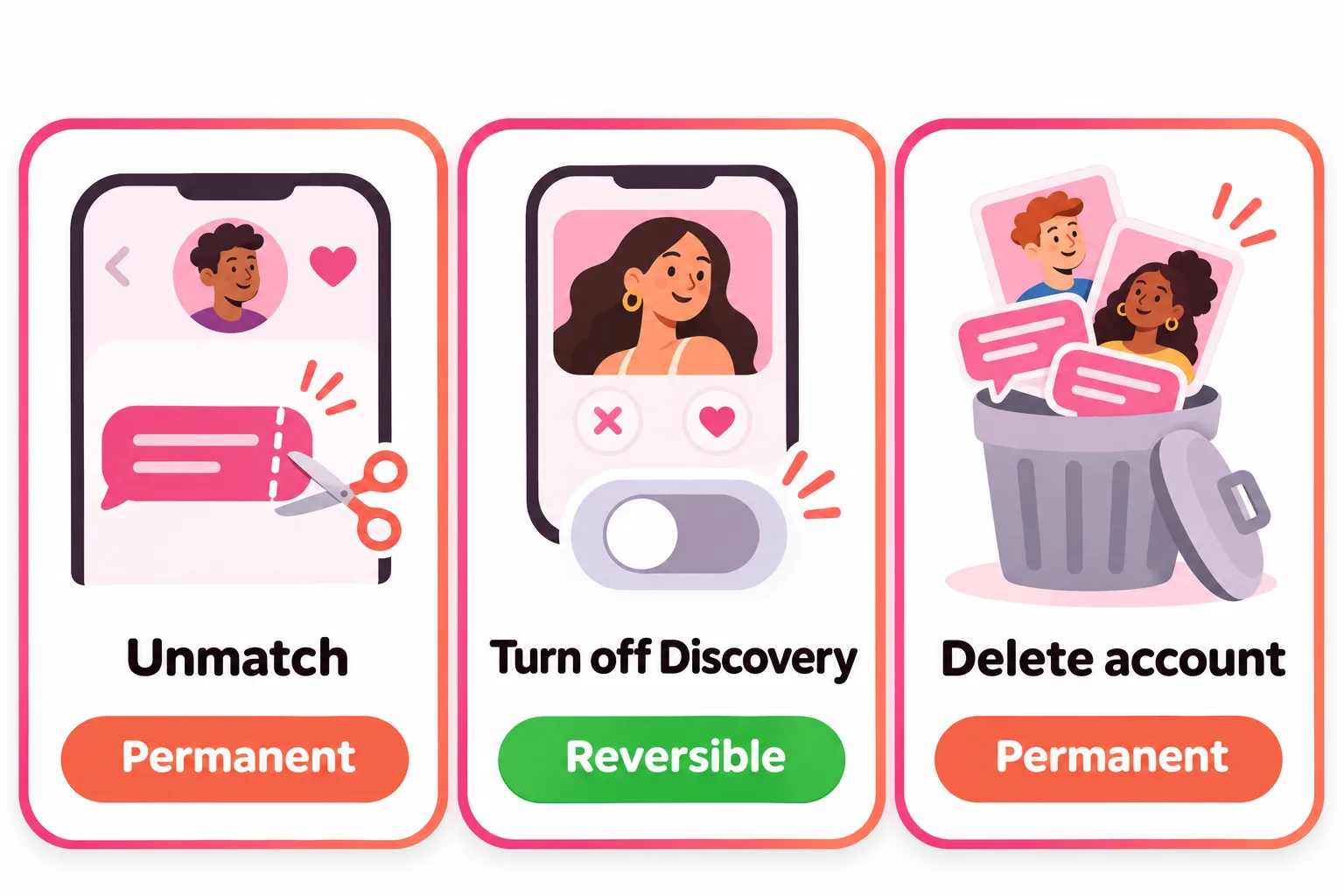
How to reset Tinder matches: your three options
Not in the way the word "reset" suggests. Tinder doesn't offer a single action that clears your match list and leaves everything else intact. What it does offer:
| Option | What it clears | What you keep | Reversible? |
|---|---|---|---|
| Unmatch | One match and its chat, for both of you | Everything else | No |
| Turn off Discovery | Nothing; new people stop seeing you | All matches and chats | Yes |
| Delete account | All matches, messages, photos, Verification badge | Possibly name, age, gender if you return within 90 days (where available) | No |
Option 1: Reset matches by unmatching
If your list is full of chats that went nowhere, unmatching is the cleanest way to tidy it up:
- Open the chat.
- Tap the three dots in the top right.
- Tap Unmatch (in some regions you can Block at the same time).
The person disappears from your list and you disappear from theirs. Tinder doesn't notify them, though they may notice you're gone. It can't be undone, even if you tap it by accident, so don't bulk-unmatch anyone you might want to talk to later. More in Tinder unmatch.
Option 2: Take a break without losing matches
If you want a pause rather than a clean slate, turn off Discovery: profile icon, Settings, Enable Discovery, toggle off. Tinder says your profile then won't be shown to new people, but you can still view and chat with your matches. People you liked before turning it off can still match with you. Switch it back on when you're ready. See how to disable Tinder for more.
Option 3: Delete your account (the full reset)
Deleting is the only way to clear everything at once. Before you do it, know what Tinder says happens:
- Matches, messages, photos and your Verification badge are gone for good. Tinder says these can't be restored, even if you come back within 90 days.
- Purchased Super Likes, Boosts and Super Boosts are lost. Tinder says consumables can't be transferred to a new account.
- Your subscription keeps billing. Deleting the account doesn't cancel it; cancel through your app store or Tinder first.
- Tinder keeps your data for 90 days as a safety window. Coming back within that time may restore your name, age and gender in markets where the restore feature is live.
- Face Check may remember you. In regions that use it, if you sign up again within 30 days Tinder uses your stored verification data to check for duplicate accounts and verify your new photos.
- Banned accounts can't do this. Tinder says banned users can't create new accounts.
To delete: profile icon, Settings, scroll to the bottom, Delete Account. Uninstalling the app doesn't delete your account.
If you delete and come back: restoring a subscription
Tinder says a subscription can only be tied to one Tinder account at a time. If you bought it through the App Store or Google Play, you can reapply it to your new account from Settings with Restore Purchases; if you bought it on tinder.com, PayPal or by card, you use the Restore Token from your confirmation email. If Tinder says the subscription is tied to another account, that old account has to be deleted first. Consumables are the exception: Tinder says Super Likes and Boosts can't be restored or moved to a new account.
Does a Tinder reset get you more matches?
This is the real reason most people want to reset, so it deserves a straight answer. Tinder has never said that a new account gets you more matches. Some guides report a short burst of attention for new profiles; Tinder doesn't confirm it.
What Tinder does say about its algorithm points somewhere else. It favours people who are active, and it constantly refines recommendations based on Likes and Nopes and what's on profiles. That means a new account with the same photos is likely to end up roughly where the old one was, minus your matches.
If you want the benefit of a fresh start without the cost, do what a reset can't:
- Replace your first photo with a recent, well-lit, smiling photo where your face is clear.
- Cut weak photos. Four good ones beat eight mixed ones.
- Rewrite your bio with something specific a match can reply to.
- Widen your age and distance in Discovery Settings.
- Use the app regularly in the evenings, when more people are active.
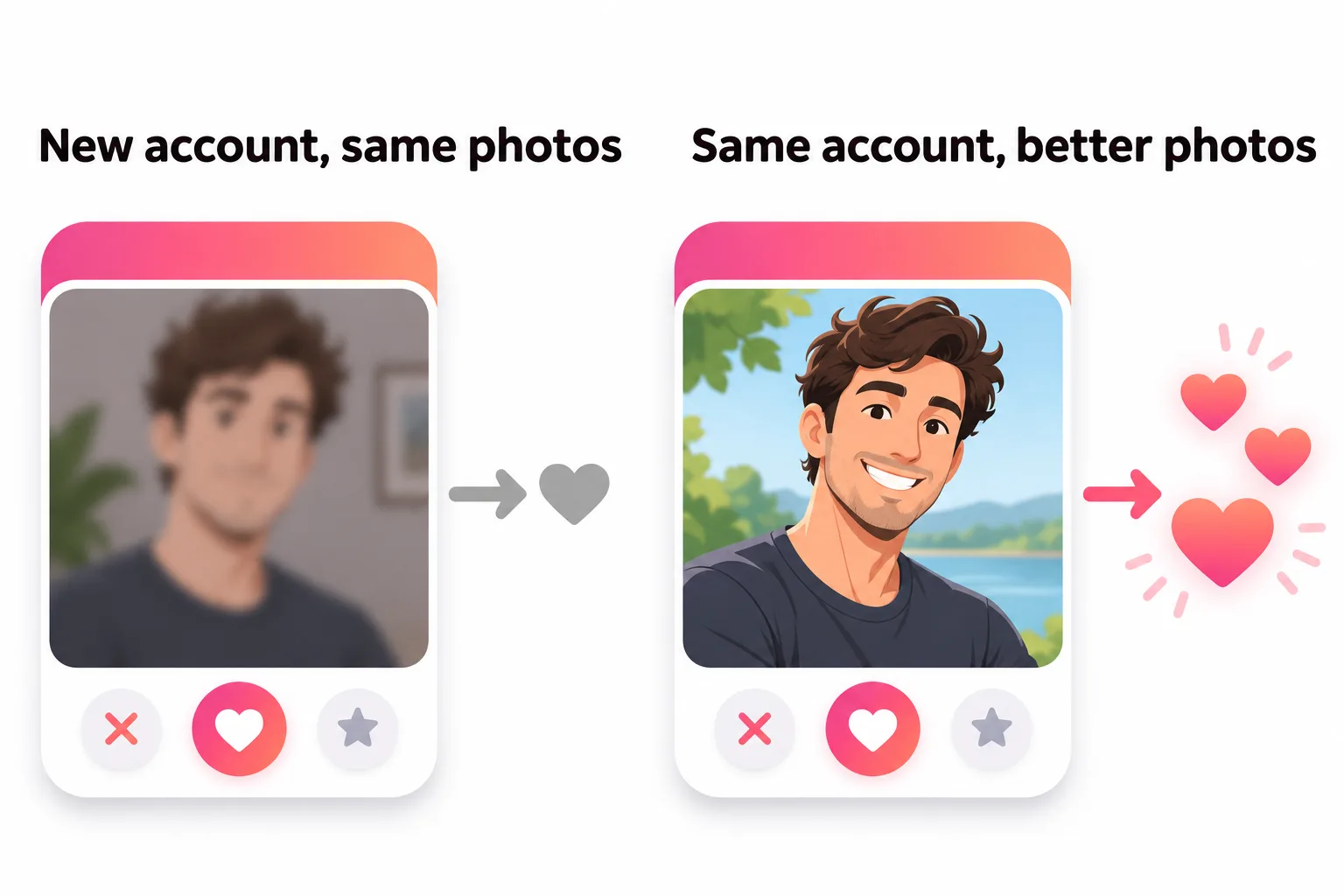

Our guide on how to take pictures for Tinder shows how to get better photos with just a phone and a friend.


No good photos of yourself?
Turn a selfie into realistic dating photos: travel, dinner, outdoors and more. One selfie is enough. From $29, one-time.
Reset matches vs reset Tinder
Resetting matches and resetting your whole Tinder (the algorithm, your account) overlap but aren't the same. If what you're really after is a new start with the algorithm, read how to reset Tinder. If your matches vanished on their own and you didn't do anything, that's a different problem: see why Tinder matches disappear.
Frequently asked questions
Can you reset Tinder matches?
Not with a button. You can unmatch people one at a time, which is permanent, or delete your account, which erases all matches and messages. Tinder doesn't offer a way to clear matches while keeping your account otherwise unchanged in one step.
How do you reset matches on Tinder without deleting your account?
Unmatch the people you no longer want to talk to, one by one, from the three dots in each chat. To stop new people seeing you while you take a break, turn off Enable Discovery in Settings; you keep your existing matches.
If I delete my Tinder account and come back, do my matches come back?
No. Tinder says messages, matches, photos and your Verification badge can't be restored after deletion, even if you sign up again within 90 days. Within 90 days only some details, like your name, age and gender, may be restored where that feature is available.
Does resetting Tinder get you more matches?
Tinder doesn't say so, and nothing official supports it. Some guides report a brief burst of attention for new profiles, but if your photos stay the same, results tend to settle back to where they were. You also lose your matches and any purchased Super Likes and Boosts.
Can a banned account reset Tinder?
No. Tinder says banned users can't continue using Tinder or create new accounts. If you think the ban was a mistake, appeal through the Appeal Center.
Sources
- Tinder Help Center: Unmatching someone
- Tinder Help Center: Delete your Tinder account
- Tinder Help Center: Restore your profile
- Tinder Help Center: Hide your Tinder profile
- Tinder Help Center: Consumables disappeared after creating a new account
- Tinder Help Center: My account is banned
- Tinder Help Center: Powering Tinder, the method behind our matching
- Tinder Help Center: Restoring purchases
- Tinder Help Center: Can't restore my purchase
Written and reviewed by
Dating profile editor at DatingProfile
Mark writes and reviews DatingProfile’s guides to dating profiles: the photos, bios and prompts that work on Tinder, Hinge and Bumble, and how each app actually behaves.
@mark_x_997


