Hinge
How to Get Unbanned From Hinge: The Official Appeal, Step by Step
 By MarkUpdated November 20266 min read


Short answer
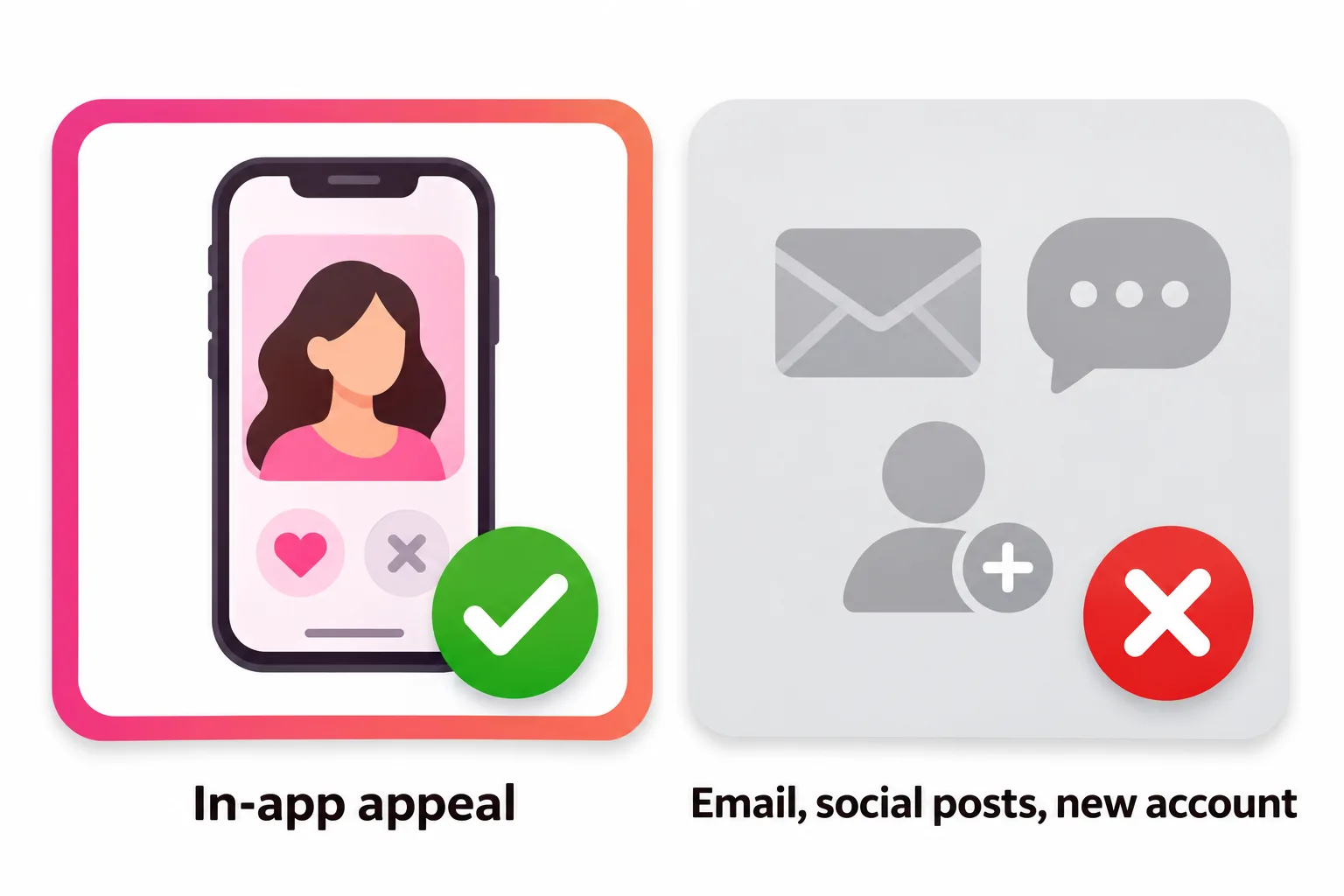
The only way to get unbanned from Hinge is the in-app appeal: open Hinge, tap Appeal on the screen that explains your ban, and describe why you believe you didn't break Hinge's Terms of Use. Hinge only processes appeals sent through that flow (not email, social media or messages to staff), may ask for a government ID, and says banned users can't create a new account.
How do you get unbanned from Hinge? Through one route only: the in-app appeal. Open Hinge, tap Appeal on the screen that explains your ban, and describe why you believe your account didn't break Hinge's Terms of Use. Hinge says it can only process appeals submitted through that flow, so emails, social media posts and messages to Hinge or Match Group employees won't be reviewed.
This guide walks through the appeal, what to write, what happens after, and why making a new account isn't an option. Everything here is based on Hinge's help center as of November 2026.
Can you get unbanned from Hinge?
Yes, if Hinge agrees on review that the ban shouldn't have happened. Hinge describes the appeal as an option you "may have" if your account was banned for violating its Terms of Use or Community Guidelines, and a member of its safety team follows up by email. It doesn't publish success rates or timelines.
Be realistic about what an appeal is for. It's a way to correct a mistake: a mass false report, a misread message, a photo flagged in error. If you did break a rule, the honest move is to accept the decision.
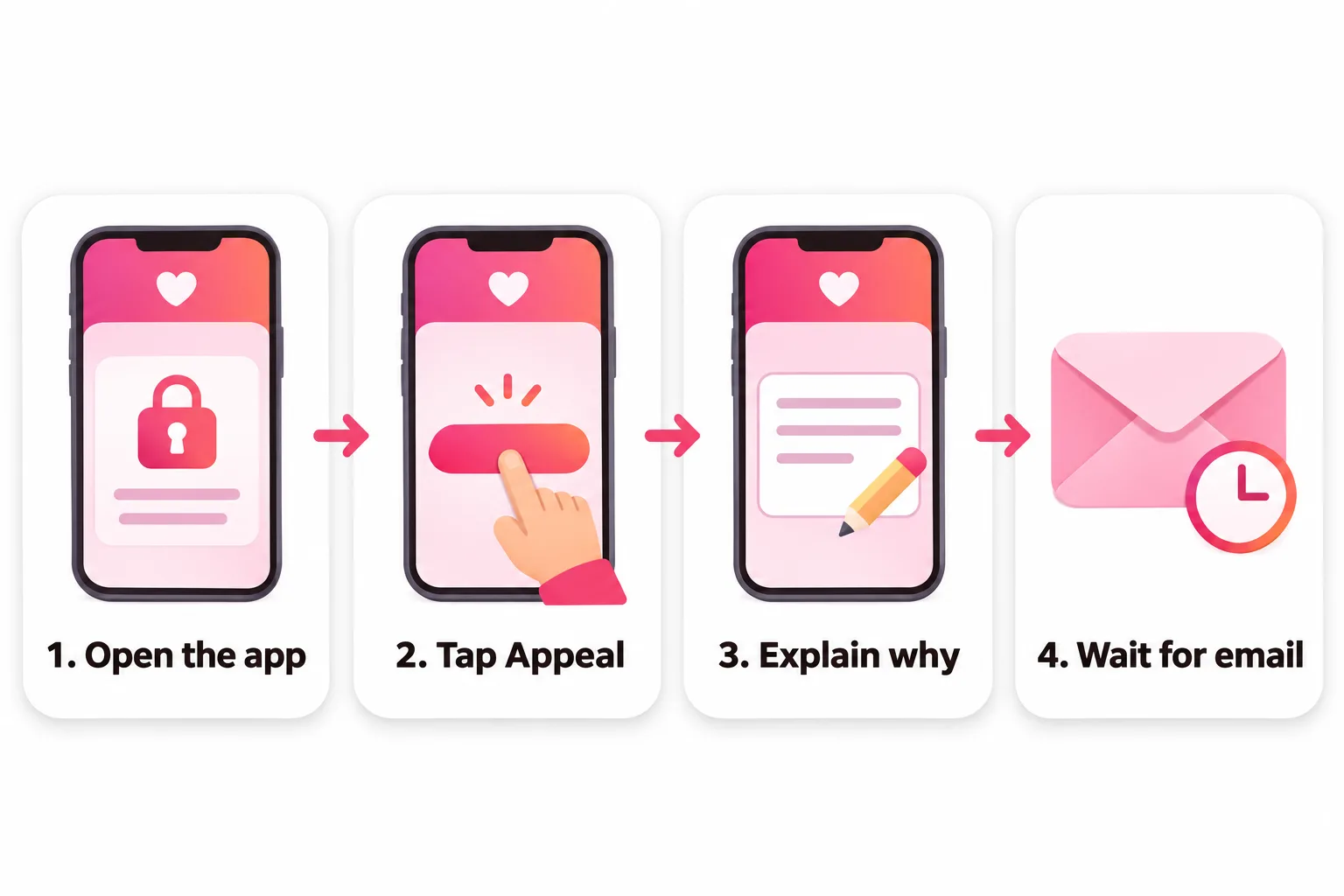
How to appeal a Hinge ban, step by step
- Open the Hinge app. If you're banned, you'll see a screen explaining it. Hinge says each screen shows "details unique to your situation", and in some cases it includes the reason.
- Tap Appeal.
- Explain why you believe your account didn't violate the Terms of Use. Be specific and factual (see the example below).
- Upload a government ID if asked. For some appeals Hinge requires one before you can submit.
- Submit and wait. You'll get a confirmation that Hinge received it. A safety team member will contact you by email.
Then stop. Hinge warns that "reaching out further after submitting an appeal may alter your position in our processing queue and increase the time it takes." One appeal, then patience.
What to write in a Hinge appeal
You're writing to a trained moderator who reads many of these. Make their job easy:
- Keep it short: a few sentences, not an essay.
- Stick to facts: what you think happened and why it doesn't break the rules.
- Stay polite. Hinge's guidelines prohibit threatening its staff, and an angry appeal doesn't help.
- Don't guess wildly or accuse other users without evidence.
An example of the tone that works:
I was banned on November 3 and I believe it was a mistake. I haven't sent explicit or abusive messages, and all six of my photos are recent photos of me. The only unusual thing I can think of is that I unmatched someone after a disagreement about plans, and they may have reported me. I'm happy to verify my ID if that helps. Thank you for reviewing this.
Replace every detail with your own situation. If you genuinely don't know why you were banned, say so plainly and confirm the basics: the photos are you, you haven't used automation tools, you haven't promoted anything.
ID verification during a Hinge appeal
Hinge may ask for a valid government-issued ID either before you can submit or later in the investigation. Outside the US, Hinge says submitting a passport "may speed up the process."
If you can't provide an ID but believe the ban was an error, Hinge asks you to submit a request through its help center: choose "Submit an Appeal" as the issue and write "Issue with ID Verification" in the subject line. If you're already in an email thread with the appeals team, you can reply there.
Why Hinge bans accounts
Hinge says bans come from "reports from other users", "review by our content moderation team" and "automated decision-making". Its rules list what can lead there. The most common categories:
| Category | Examples from Hinge's rules |
|---|---|
| Disrespect and harassment | Crude or sexual messages, body shaming, contact after someone unmatched you |
| Misleading profiles | Someone else's photos, outdated photos, AI-generated content used to mislead, more than one person per account |
| Automation | Autoswipers, bots, scrapers; creating or sharing these tools gets you banned outright |
| Promotion and money | Ads, links, payment-app usernames, selling anything, asking for money |
| Minors | Any photo of a minor, including childhood photos of yourself |
| False reporting | Deliberately false or retaliatory reports can lead to a warning or ban |
| Safety | Threats, hate speech, violent or illegal content |
Warnings and removed content aren't bans
Not every restriction is a ban, and they're appealed differently:
- A warning about your messages means you must acknowledge it before you can send likes or messages again. If you think it was issued in error, Hinge asks you to contact support.
- A removed photo or prompt can be appealed on its own: tap the banner, find the content and tap "Did we get this wrong?". Until you replace it or win the appeal, you may not show up in Discover or Standouts.
If your account still works but likes have stopped, you're not banned: read Hinge shadowban and Hinge no likes instead.
Why making a new Hinge account isn't the answer
Hinge's help center is direct: "If your account is Banned, you will not be able to create a new Hinge account." Trying anyway breaks the same Terms of Use that led to the ban, and Hinge has tools to spot it:
- In regions where it's required, Hinge's Face Check compares your face against other accounts "to help detect whether other profiles are using your likeness."
- Hinge says it shares information across Match Group companies to "investigate, identify and take action against (e.g., ban) fake accounts, spam, abuse, fraud and other wrongdoings across Match Group services."
The appeal is the only legitimate route back to Hinge, and it's the one we recommend. If it's denied, take a break from the app rather than looking for a workaround.
Your subscription and data after a ban
- Subscriptions: Hinge says you may need to cancel to avoid future charges. If you subscribed through Apple or Google, request any refund through them. If you used Hinge payment (powered by Stripe), auto-renewal is canceled automatically.
- Your data: you can still download it. On the ban screen, scroll to the Legal section and tap Download My Data. The export link expires after 48 hours. Ban reasons aren't included in the export.
How long does a Hinge ban last?
Hinge describes bans as removal from the platform, and its Community Guidelines say accounts that break the rules "may be permanently banned." There's no published temporary ban length. If your account was banned, assume it stays that way unless an appeal succeeds.



No good photos of yourself?
Turn a selfie into realistic dating photos: travel, dinner, outdoors and more. One selfie is enough. From $29, one-time.
If your appeal works: start clean
If Hinge restores your account, use it as a reset (and see how to reset the Hinge algorithm for what actually changes who you're shown to):
- Every photo is you, recent, and clearly shows your face
- No links, handles, payment usernames or promotions anywhere
- Prompts are friendly and specific, with nothing crude or aimed at anyone
- No third-party apps or autoswipers connected to your account
- Reply to matches or unmatch politely; don't keep contacting someone who unmatched you
Check your photos with our free rater before you're back in Discover, and see good Hinge profiles for a profile that stays well within the rules. If you use edited or AI-made photos, Hinge's rules mean they must look exactly like you do now; our Hinge photos guide covers what's safe to post.

Frequently asked questions
Can you get unbanned from Hinge?
Yes, if Hinge agrees on appeal that the ban was a mistake. You submit the appeal from the ban screen in the app, and a member of Hinge's safety team follows up by email. Hinge doesn't publish how many appeals succeed.
How do I appeal a Hinge ban?
Open the Hinge app, where you'll see a screen explaining your ban, tap Appeal and describe why you believe your account didn't violate Hinge's Terms of Use. You'll get a confirmation once it's submitted. Hinge only processes appeals made through this in-app flow.
How long does a Hinge appeal take?
Hinge doesn't give a timeframe. It does warn that contacting it again after you appeal "may alter your position" in the queue and make the review take longer, so submit once and wait for the email.
Why won't Hinge tell me why I was banned?
Some users see a reason on the ban screen, but in many cases Hinge doesn't share details. It says decisions draw on user reports, moderator review and automated systems, and keeping details private protects people who report. Hinge says it doesn't respond to requests for more details.
Can I make a new Hinge account after being banned?
No. Hinge's help center says that if your account is banned, you won't be able to create a new Hinge account. The legitimate path is the appeal.
Will I get a refund if I'm banned from Hinge?
Hinge says to cancel any subscription to avoid future charges. If you paid through Apple or Google, refunds go through them. If you paid with Hinge payment, auto-renewal is canceled automatically so you aren't charged again.
Sources
- Hinge Help Center: How can I appeal my ban?
- Hinge Help Center: Why was my account banned?
- Hinge Help Center: Community Guidelines
- Hinge Help Center: Prohibited Content and Behavior
- Hinge Help Center: Notifications about Prohibited Content and Behavior
- Hinge Help Center: What Happens When Content is Removed From My Profile?
- Hinge Help Center: Note on Third Party Automated Tools
- Hinge Help Center: Consequences for False Reporting
- Hinge Help Center: How do I request a copy of my personal data?
- Hinge Help Center: Why we share across Match Group companies
- Hinge Help Center: Face Check Scan
Written and reviewed by
Dating profile editor at DatingProfile
Mark writes and reviews DatingProfile’s guides to dating profiles: the photos, bios and prompts that work on Tinder, Hinge and Bumble, and how each app actually behaves.
@mark_x_997