Hinge
How to Reset the Hinge Algorithm (and What Actually Changes Your Feed)
 By MarkUpdated November 20265 min read


Short answer
You can't reset the Hinge algorithm with a button, and Hinge doesn't offer one. What you can do is change what it learns from (your photos, prompts, preferences, location and especially who you like, skip and match with), and the recommendations shift over the following days, which works better than deleting and remaking your account.
How do you reset the Hinge algorithm? You can't, at least not with a button: Hinge doesn't offer a reset. What you can do is change the things its algorithm learns from (your photos, prompts, preferences, location and above all who you like, skip and match with) and your recommendations will shift over the following days. That works better, and costs far less, than deleting your account and starting over.
Here's what the Hinge algorithm actually uses, the changes that refresh it, and the "reset" tricks that backfire.
Can you reset the Hinge algorithm?
Not directly. There's no setting, support request or subscription that wipes what Hinge has learned about you. People usually want a reset for one of two reasons:
- Their feed feels stale: the same types, nobody they're excited about.
- Their likes dropped: they suspect Hinge has "decided" they're not desirable.
Both are better fixed by changing inputs than by starting over. For the second, also read Hinge no likes, because a drop in likes is often caused by something specific like Your Turn Limits or removed content.
How the Hinge algorithm works (what Hinge has said)
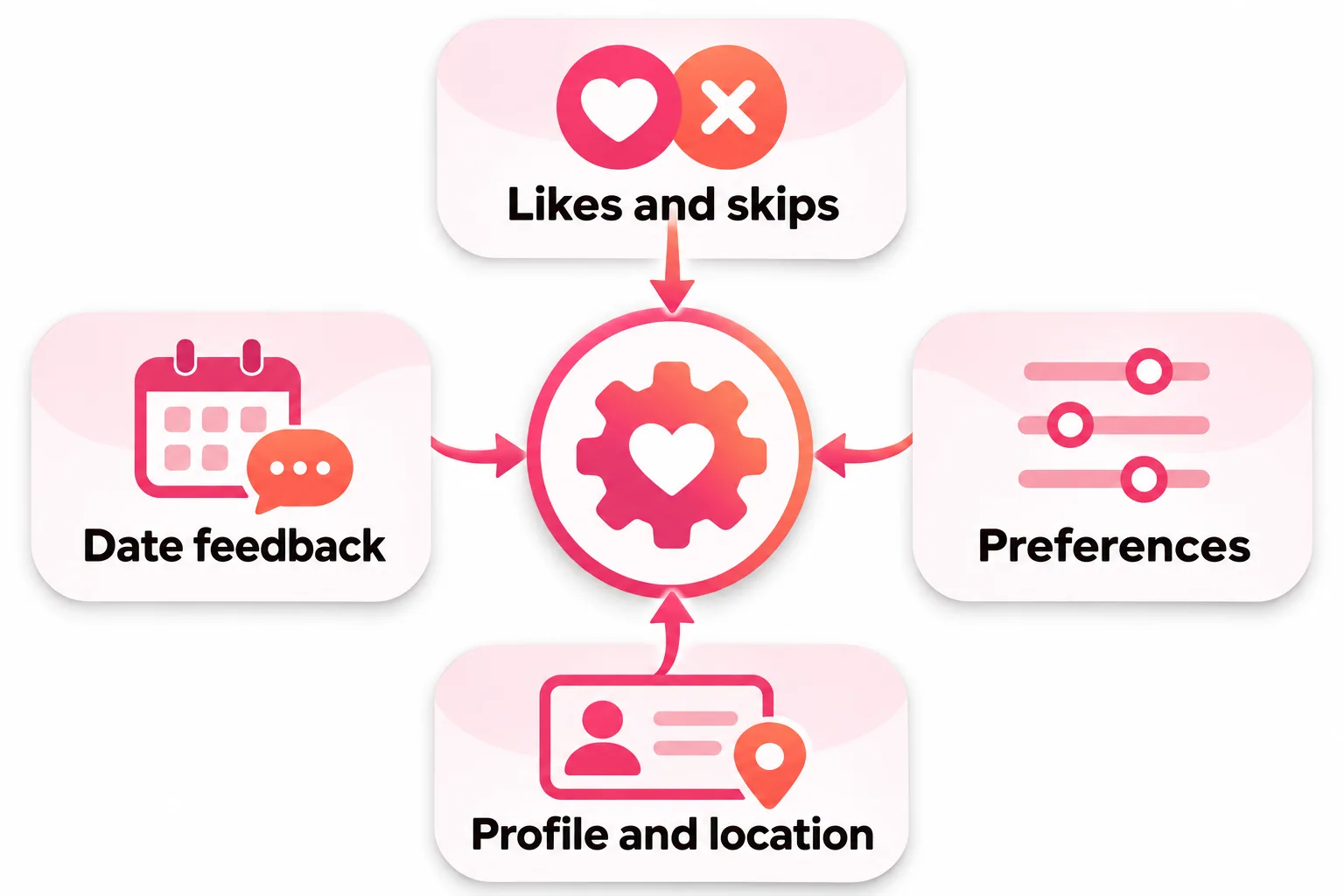
Hinge's help center says it uses information you provide "directly or through your use of our service" to power its matching algorithm. It names:
- Age, gender and location
- Your preferences
- Who you like, skip or match with
- Who you exchange phone numbers with
It uses "the same process to recommend you to other users." Discover shows people based on mutual interest: they fit your preferences, and you fit theirs.
A few more pieces Hinge has described:
- Most Compatible: one recommendation a day (when available) at the top of Discover, based on "mutual preferences, recent activity, and shared patterns in who you and others tend to like." Each one expires after 24 hours.
- We Met: a few days after you exchange numbers, Hinge asks whether you went on a date and whether you'd like to see them again. If you say no, it considers that when recommending new people.
- Gale-Shapley: when Hinge launched Most Compatible in 2018, TechCrunch reported it used a variant of the Gale-Shapley "stable matching" algorithm, and Hinge told Gizmodo in 2023 that it uses a Gale-Shapley algorithm. A Hinge spokesperson also told Gizmodo: "We do not withhold possible matches from users."
How to refresh the Hinge algorithm: 7 changes that work
1. Change how you like and skip
This is the biggest lever. Hinge says skipping "indicates to us that you weren't interested," and its algorithm "learns from your activity in the app." For one week:
- Like only people you'd genuinely want to date.
- Skip quickly when someone isn't for you, instead of liking out of politeness or boredom.
- Add a comment to the likes you do send.
Hinge's own advice is to send "quality likes over quantity" for exactly this reason.
2. Swap your first photo (or turn on Top Photo)
A new lead photo changes how people respond to you, which changes what Hinge learns about who likes you. Top Photo tests your photos with machine learning and puts the one most likely to get a like first. Our Hinge photos guide covers what to lead with.
3. Rewrite one or two prompts
New prompts give people who skipped you before a new reason to stop, and give your Most Compatible matches something to respond to. Hinge prompts has examples by category.
4. Adjust your preferences
Preferences decide who's eligible to see you at all. Widening an age range or distance, or ticking "Show profiles outside of this preference" on a soft dealbreaker, brings a new pool into Discover in both directions. Gender preferences are always strict.
5. Update your location if you've moved
Hinge says it doesn't update your location automatically. If you've moved neighborhoods or cities, change it under your profile's Location setting, or from Discover under Preferences, then My Neighborhood. Your feed will draw from a different area right away.
6. Use We Met honestly
After a date, answer Hinge's We Met question. Saying you wouldn't see someone again is one of the clearest signals you can give about your type.
7. Keep up with your matches
Under Your Turn Limits, too many matches waiting on you stops you from sending or receiving likes entirely. Replying or closing old chats keeps you active in the system, and Hinge's Signals badge rewards following through on matches.
Does deleting Hinge reset the algorithm?
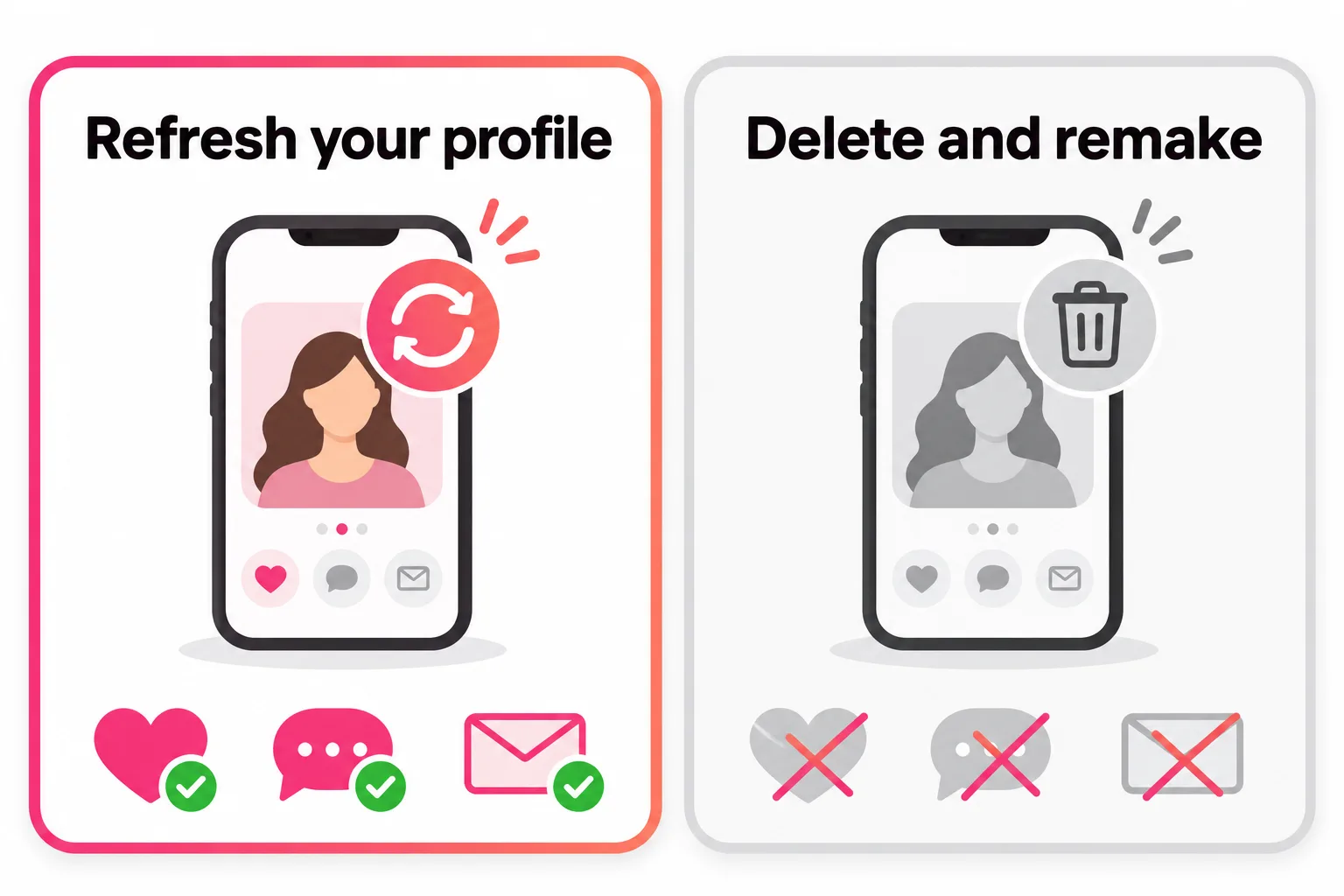
Hinge doesn't say it does, and the costs are high. When you delete your account:
- Your preferences, likes, matches, messages and Selfie Verification badge can't be restored.
- If you come back within 90 days with the same phone number, Hinge restores some profile details, like your name, height, photos and prompts.
- After 90 days, you start completely fresh.
So a delete-and-return within 90 days brings back much of your old profile while wiping your matches. And if you were banned, Hinge says you can't create a new account at all (see how to get unbanned from Hinge). Rival app Bumble is blunter about its own system: its support pages say repeatedly deleting and recreating an account "can actually hurt your chances."
Other "reset" tricks that don't work
- Pausing. It hides you from new people; it doesn't wipe anything. Top Photo even keeps testing your photos while paused.
- Reinstalling the app. Uninstalling doesn't delete or reset your account.
- Liking everyone. It teaches the algorithm nothing useful and burns your free likes; Hinge recommends the opposite.
- Autoswipers. Against Hinge's rules and a fast route to a ban.
Does HingeX change the algorithm?
Partly. HingeX adds See Compatible People Sooner, which uses shared preferences and your recent likes and skips to bring people more your type to the top of your own Discover feed, and Get Seen by More Daters, an always-on light boost for your profile. It doesn't erase history or override anyone's preferences. If you're weighing it up, see Hinge+ vs HingeX.



No good photos of yourself?
Turn a selfie into realistic dating photos: travel, dinner, outdoors and more. One selfie is enough. From $29, one-time.
A one-week Hinge refresh plan
- Day 1: new first photo (or Top Photo on), one prompt rewritten
- Day 1: one or two preferences made flexible; location checked
- Days 1 to 7: like only people you'd date, add a comment, skip the rest fast
- Days 1 to 7: reply to or close every waiting match
- After any date: answer We Met
- Day 7: compare likes and matches with the week before
Most "algorithm" problems turn out to be profile problems in disguise. If a week of changes doesn't move anything, look at what good Hinge profiles have in common and fix the weakest piece first.
Frequently asked questions
Can you reset the Hinge algorithm?
Not directly. Hinge has no reset option. Its recommendations come from your preferences, location and activity, so changing those (and liking and skipping more deliberately) is how you shift what you see and who sees you.
How do I refresh my Hinge algorithm?
Swap your first photo or turn on Top Photo, rewrite a prompt, adjust a preference, update your location if you've moved, and spend a week liking only people you'd genuinely date while skipping the rest. Hinge says skipping tells it you weren't interested.
Does deleting Hinge reset the algorithm?
Hinge doesn't say it does, and deleting costs you a lot. A new account loses your preferences, likes, matches and messages for good. If you return within 90 days with the same number, Hinge restores some profile details like your name, photos and prompts.
How does the Hinge algorithm work?
Hinge says it uses your age, gender, location, preferences and who you like, skip, match and exchange numbers with to recommend people, and recommends you to others the same way. It has also said it uses a version of the Gale-Shapley matching algorithm for features like Most Compatible.
Does pausing Hinge reset the algorithm?
There's no sign it does. Pausing only stops you from being shown to new people while you keep chatting with matches. Top Photo even keeps testing your photos while you're paused.
Does HingeX change the algorithm?
HingeX adds See Compatible People Sooner, which uses shared preferences and your recent likes and skips to bring people more your type to the top of your Discover feed, plus an always-on light boost for your own profile.
Sources
- Hinge Help Center: Automated Decision-Making and Profiling at Hinge
- Hinge Help Center: What is Most Compatible?
- Hinge Help Center: Discover Feed
- Hinge Help Center: Why Aren't I Getting Any Matches?
- Hinge Help Center: How Do I Match with Someone and Start Chatting?
- Hinge Help Center: What is "We Met?"
- Hinge Help Center: Restore Your Profile
- Hinge Help Center: Location Settings
- Hinge Help Center: Subscriber Experience
- Hinge Help Center: Pausing
- TechCrunch: Hinge employs new algorithm to find your most compatible match (July 2018)
- Gizmodo: How Hinge's algorithm decides who you date (August 2023)
- Bumble Support: Standing out on Bumble
Written and reviewed by
Dating profile editor at DatingProfile
Mark writes and reviews DatingProfile’s guides to dating profiles: the photos, bios and prompts that work on Tinder, Hinge and Bumble, and how each app actually behaves.
@mark_x_997