
Tinder
Tinder Is Not Working? Fixes for Every Common Problem
 By MarkUpdated November 20266 min read


Short answer
When Tinder is not working, Tinder's own fix list is to check your connection by switching between Wi-Fi and mobile data, delete and reinstall the app to get the latest version, and try tinder.com in a browser; logging out and back in fixes many loading problems. If none of that helps, Tinder says it is most likely having service problems on its end, so wait and try again later.
Why is Tinder not working? Most of the time it's one of three things: your connection, an out-of-date app, or a problem on Tinder's side. Tinder's own fix list is short: switch between Wi-Fi and mobile data, delete and reinstall the app, and try tinder.com in a browser. Logging out and back in fixes many loading problems too. If all of that fails, Tinder says it's most likely experiencing service problems, and the only fix is to wait.
Below is the quick fix list, then fixes by symptom: crashing, matches, messages, login, location, notifications, purchases and Top Picks.
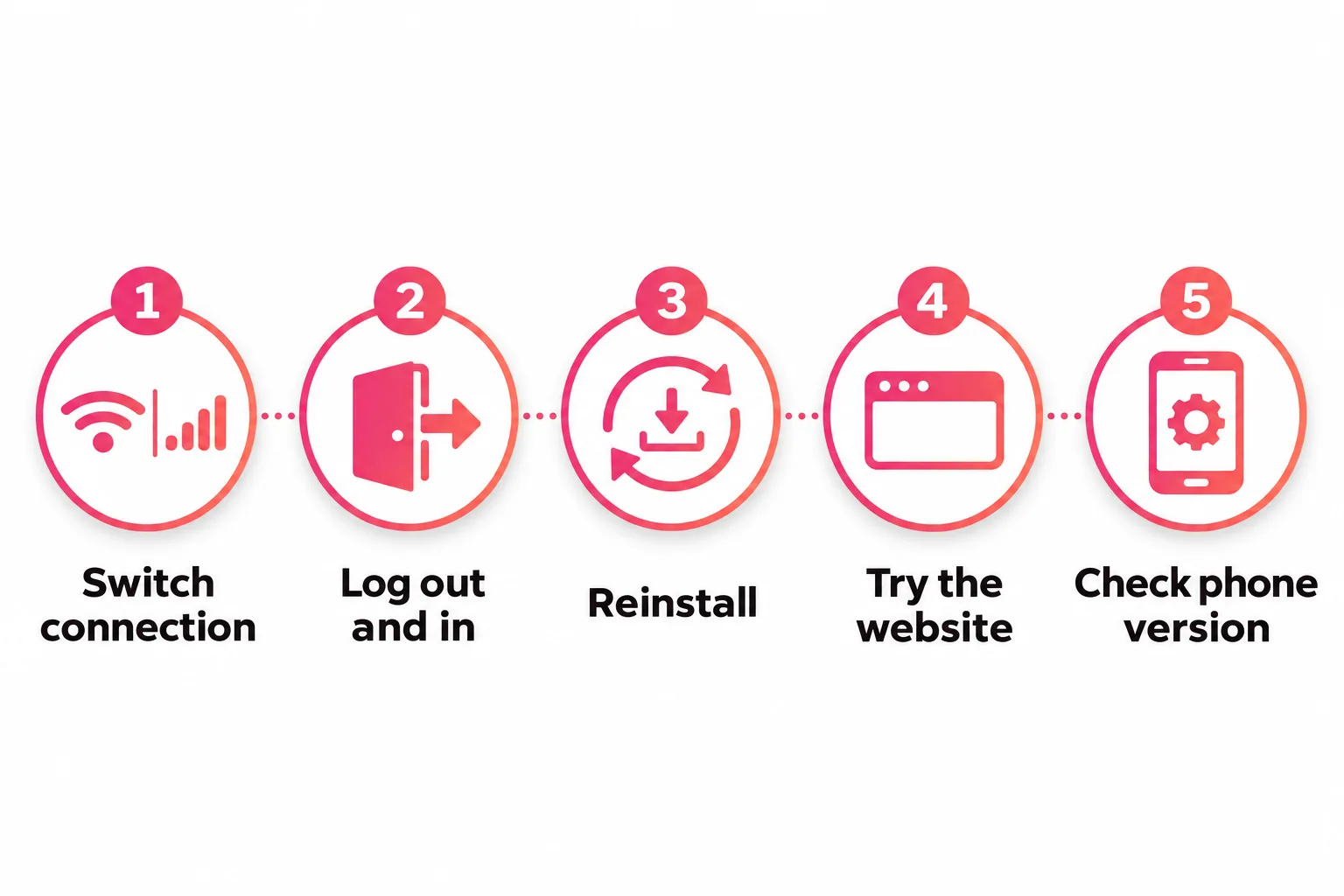
Tinder not working: the 5-minute fix list
Work through these in order. Each one rules something out.
- Switch your connection. Turn Wi-Fi off and use mobile data, or the other way round. Tinder suggests this to test whether your connection is the problem.
- Log out and back in. Profile icon, Settings, scroll down, Logout.
- Delete and reinstall the app. Tinder says this puts you on the latest version and refreshes the app. Your account, matches and messages aren't affected.
- Try tinder.com. If the website works and the app doesn't, the issue is your app or phone.
- Check your phone's system version. As of November 2026, Tinder supports iOS 16 and up and Android 10 and up, plus current versions of major browsers.
If all five fail, Tinder says it's "more than likely" experiencing some service degradation. Give it an hour or so before trying again, and check whether other people are reporting problems at the same time.
Why is Tinder not working? Fixes by symptom
Tinder keeps crashing or won't open
Tinder's crash steps are the same core three: check your connection, delete and reinstall, then use tinder.com. If the app crashes straight after an update on an older phone, check the minimum versions above. If you're below them, the website is your option.
Matches not loading, or all matches gone
- Matches spin forever: check your connection, reinstall, try tinder.com.
- All matches vanished at once: Tinder says this "may be temporary". Wait, then log out and back in.
- Matches' photos won't load: log out and back in.
- One or two matches gone: that's not a bug. Tinder says they most likely unmatched or deleted their account. See why Tinder matches disappear.
Messages not sending
- Check your connection (switch Wi-Fi and data).
- Delete and reinstall the app.
- Resend: on iPhone, tap the red exclamation mark next to the failed message; on Android, tap the message itself.
If a whole chat disappeared rather than failing to send, the other person may have unmatched. More in our guide to Tinder messages.
No profiles, or "no one new around you"
This is usually settings, not a fault. Tinder suggests widening your gender preferences, age range or distance in Discovery Settings. Then check two things on your own profile:
- Is Discovery turned on? If you switched it off to take a break, you can't see new people. See how to disable Tinder for where the toggle is.
- Is your profile hidden? In many regions Tinder hides profiles when it can't detect a valid face photo. A hidden profile can't send Likes or use Boost. Add a clear, well-lit photo of your full face.
Can't send likes, or the app feels limited
Besides running out of free likes (see Tinder out of likes), Tinder restricts accounts that are under an age check review: Tinder says you can't send likes or messages, and your profile isn't visible, until the check is complete. Look for a prompt in the app to finish it.
Can't log in
- Changed your phone number? Tap Log In, then "Trouble Logging In?", and enter the email on your account. Tinder's account recovery lets you log in with the new number.
- SMS code not arriving? Tinder says delivery can be delayed, so wait a few hours before retrying, make sure mobile data is on, and check with your carrier that texts aren't blocked.
- Email code not arriving? Check spam and promotions, and make sure you typed the address on your account.
- A ban or suspension notice? That's not a technical problem. See Tinder ban.
Location wrong or not updating
Tinder needs location access. On iPhone: Settings, Tinder, Location, While Using the App. On Android: Settings, Apps, Tinder, Permissions, Location, Only While Using the App. On tinder.com, allow location in your browser, and note that Safari blocks location in private browsing.
If you see profiles that are far away, Tinder says some may be using Passport, or may sit slightly outside your distance range. There's a toggle under the distance slider to stop that.
Notifications stopped
Tinder says a sudden stop is usually a temporary issue on its side. Meanwhile, check notifications are on in both your phone's settings and Tinder's Settings, Notifications.
Subscription or Boost not working
- Subscription not recognized: use Restore Purchases in Settings (Apple or Google), or the Restore Token from your confirmation email for tinder.com purchases.
- Boost won't start: tap the purple lightning bolt on the main screen; check your remaining Boosts under the profile icon. Super Boost is only for subscribers. If it still fails, Tinder asks you to contact it with details or a screenshot. Details on how it should work in Tinder Boost.
Tinder Top Picks not working
This one is different. As of November 2026, Tinder's help center no longer has an article about Top Picks, so we couldn't confirm whether the feature is still offered everywhere, or to whom. Tinder often tests features and offers some only in certain markets or plans. If Top Picks has disappeared from your app:
- Update or reinstall the app in case it's a display bug.
- Check your subscription is recognized with Restore Purchases.
- If it's still missing, it may simply not be offered on your account any more. Tinder's current recommendation features in the help center include Most Compatible, a labeled profile shown in Discovery in select markets.
Is it Tinder or is it you?
A quick way to tell:
| Sign | Probably |
|---|---|
| tinder.com works, app doesn't | Your app or phone: reinstall |
| Nothing works on Wi-Fi, works on data | Your network |
| Neither app nor website works, many people report problems | Tinder's servers: wait |
| App works, but no likes or matches | Your profile or settings, not a fault |
That last row is the one people most often mistake for a bug. If everything loads but nobody's matching, read no matches on Tinder. Often the fix is your first photo. Run it through the free photo rater below, and check it meets Tinder's photo size guidelines so it doesn't upload blurry.




No good photos of yourself?
Turn a selfie into realistic dating photos: travel, dinner, outdoors and more. One selfie is enough. From $29, one-time.
When to contact Tinder
If a problem lasts more than a day after you've tried everything above, contact Tinder through its help center and describe exactly what happens, on which device and app version, with screenshots. Tinder asks for "as much detail as possible" so it can look into it.
Frequently asked questions
Why is Tinder not working right now?
The most common causes are a weak connection, an outdated app version, a device below Tinder's minimum system version, or a problem on Tinder's side. Try switching between Wi-Fi and mobile data, reinstalling, and opening tinder.com. If all three fail, Tinder says it's probably experiencing service degradation.
Why does Tinder keep crashing?
Tinder's crash fixes are to check your connection, delete and reinstall the app, and use tinder.com instead. Also check your phone meets Tinder's minimum versions, which are iOS 16 and Android 10 as of November 2026.
Why is Tinder not loading my matches?
If your matches won't load or keep spinning, Tinder suggests checking your connection, reinstalling and trying tinder.com. If all your matches vanished at once, wait, then log out and back in from Settings; it's usually temporary.
Why are my Tinder messages not sending?
Check your connection, reinstall the app, then resend. On iPhone, tap the red exclamation mark next to the failed message; on Android, tap the message itself. If one chat suddenly disappears instead, the person may have unmatched.
Why is Tinder Top Picks not working?
Tinder's help center no longer has a Top Picks article as of November 2026, so we couldn't confirm the feature's current status or who gets it. Features like this are often tested or limited to some markets. Update the app first; if Top Picks still doesn't appear, it may not be offered on your account.
Why am I not seeing anyone on Tinder?
Usually your Discovery settings are too narrow. Widen your age range, distance or gender preferences. Also check that your profile isn't hidden, which happens when Tinder can't detect a face photo, and that you haven't turned off Discovery yourself.
Sources
- Tinder Help Center: App crashing
- Tinder Help Center: Tinder Overview (supported devices)
- Tinder Help Center: Problems with Matches
- Tinder Help Center: My messages aren't sending
- Tinder Help Center: I'm not seeing profiles in Discovery
- Tinder Help Center: My profile is hidden
- Tinder Help Center: I'm not getting push notifications
- Tinder Help Center: Grant Access to Device Location
- Tinder Help Center: Updating your phone number
- Tinder Help Center: Can't verify my email or phone number
- Tinder Help Center: Can't access my Tinder subscription
- Tinder Help Center: Trouble activating Boost or Super Boost
- Tinder Help Center: Age Checks at Tinder
Written and reviewed by
Dating profile editor at DatingProfile
Mark writes and reviews DatingProfile’s guides to dating profiles: the photos, bios and prompts that work on Tinder, Hinge and Bumble, and how each app actually behaves.
@mark_x_997


